Passport size photo for India: 35×45 mm and 2×2 inch
An Indian passport photo is 35 × 45 mm, in colour, on plain white, head centred. Make one from a selfie here, with an 8-photo 4×6 in sheet for a photo shop. Free; the photo is never uploaded.
Drop a picture here
PNG, JPG or WebP · one file, up to 12 MB
No file to hand?
or paste it here (Ctrl+V)
Nothing is uploaded: it all happens in this browser.Your picture’s hidden details (camera, GPS location, date) are not kept in the download.
How to make an Indian passport photo from a selfie
- Choose India passport (35 × 45 mm) or India visa (2 × 2 in) under the picker, and pick a selfie taken straight on, in good light, with both ears showing.
- Your face is found in this browser tab, the photo is cut with your head the size the rule asks for, and the background is filled with plain white around your outline.
- Tick the box to say it is your photo, or one you were asked to make, then download the photo, the 4×6 in sheet of eight or the A4 sheet of thirty.
Before and after
The same picture, sized to Passport Seva's 35 × 45 mm with a white background.
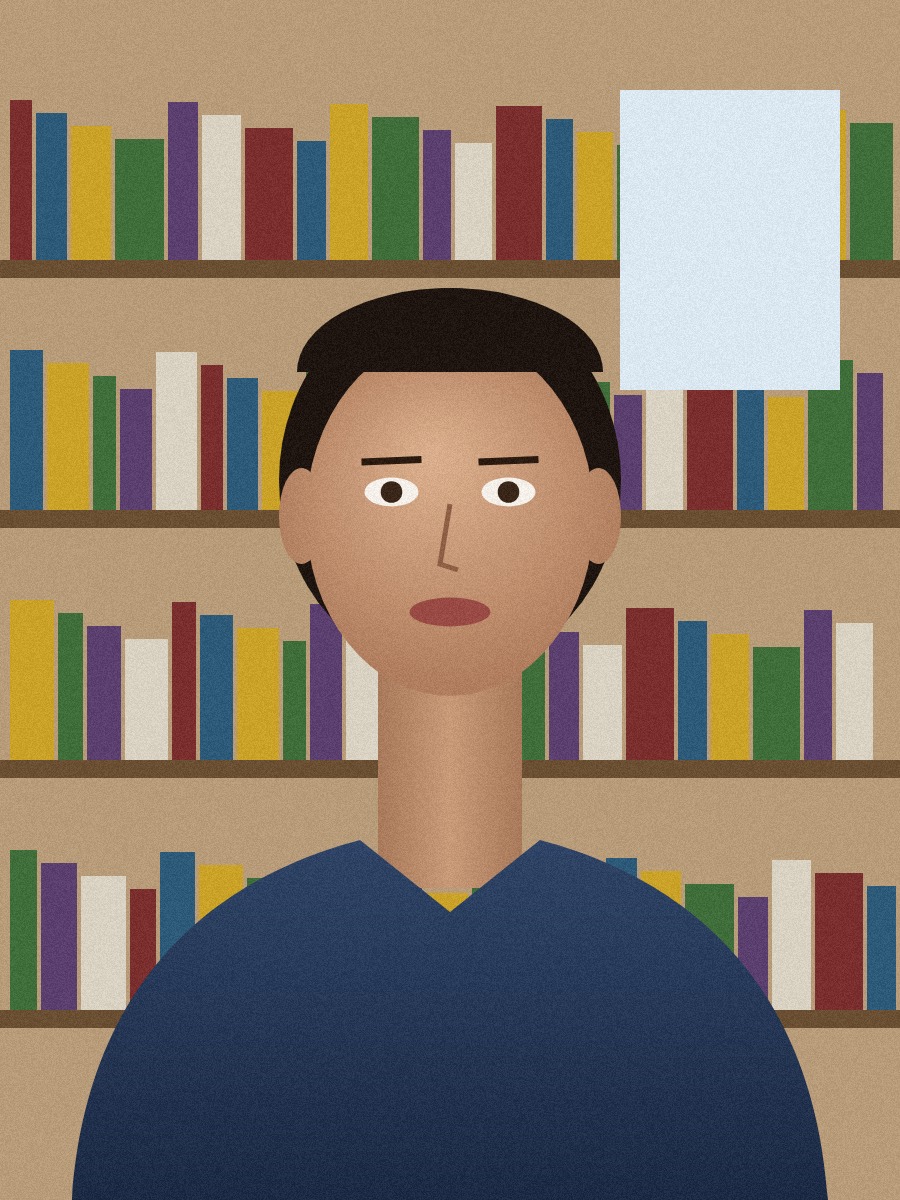 (opens the sample image in a new tab)
900 × 1200 px · 321 KB JPEG a drawn person in front of a bookshelf
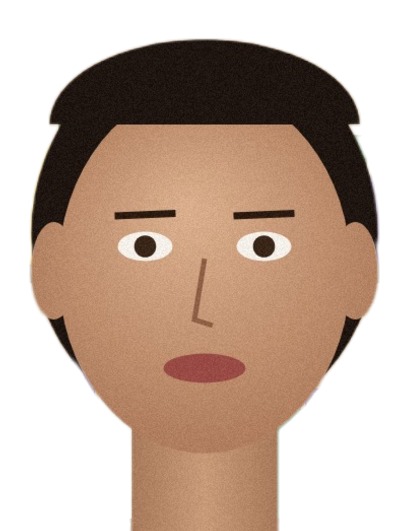 (opens the recorded result in a new tab)
413 × 531 px · 38 KB JPEG 35 × 45 mm at 300 dpi, white background, 8 copies on a 4×6 in sheet
What this tool does
Passport Seva asks for a colour photo 4.5 cm high and 3.5 cm wide, on a plain white background, with the head in the centre and both ears showing; the Indian visa form takes a square photo, 2 × 2 inches, between 10 and 300 KB. Pick a selfie taken straight on in good light: in your browser tab the page finds your face, cuts the photo to the size with your head the size the rule asks for, and fills the background with plain white around your outline — nothing is generated and your face is not retouched. Tick the box to say it is your photo, or one you were asked to make, and press the button. You get the photo, a 4×6 in sheet of eight to print at a photo shop, and an A4 sheet of thirty. A PAN or IBPS photo size is in the same list. Check the current rule before you apply: this tool sizes and aligns the photo, it does not certify it. No watermark is added, and the original's EXIF data is removed.
If this image shows a real person, the result is an AI-manipulated image of that person. It is labelled as AI-edited in its metadata, and you are responsible for having their consent.
Passport, visa and OCI photos are not the same size
Three Indian applications ask for three different photos. Make the passport and visa photos here; for OCI, check the OCI Services page, because its background must be light but not white.
| Passport | Visa (online form) | OCI | |
|---|---|---|---|
| Size | 35 × 45 mm | Square, at least 350 × 350 px | Square, at least 51 × 51 mm |
| File | A print on photo paper | JPEG, 10 to 300 KB | JPEG, at most 200 KB |
| Background | Plain white | Plain light or white | Plain light, not white |
| Made by this page | Yes | Yes, 600 × 600 px | No |
Do you need a printed photo at all?
For most people applying in India, no: Passport Seva's instruction booklet says a photograph is not needed at a Passport Seva Kendra or Post Office Passport Seva Kendra, where it is taken at the counter. You need a printed 35 × 45 mm photo when the form is submitted where no photo is taken, such as a District Passport Cell, a Speed Post centre or a Common Service Centre.
What our sample photo became
Our sample is a drawn person, not a photo of anyone: a 328,731-byte JPEG of a cartoon face in front of a bookshelf. This page made it 413 × 531 pixels at 300 dpi (35 × 45 mm), a 38.2 KB JPEG on plain white, with 8 photos on the 4×6 in sheet and 30 on A4. Print the sheet at 100 % ("actual size") on photo paper; Passport Seva does not accept a computer print.
What happens to your file
Your file never leaves your device. This page opens it, changes it and saves the result in your browser; nothing is uploaded, so there is no copy on our servers to delete.
No AI provider sees it either. The page sends us one count that a run happened — no file, no name, no size. Details on the privacy page.
Questions
What size is an Indian passport photo?
Passport Seva's instruction booklet asks for a colour photo 4.5 cm long and 3.5 cm wide (35 × 45 mm), on a plain white background, dark clothes, the head in the centre and both ears visible, printed on photo paper. It gives no head size; the page uses the international (ICAO) rule of 32–36 mm from chin to the top of the head, which is what a compliant photo needs.
And the Indian visa photo?
The online visa form takes a square JPEG, between 350 and 1000 pixels a side and between 10 and 300 KB, head 25–35 mm on a 2 × 2 inch photo, plain white or light background. Choose "India visa (online form)": the page makes a 600 × 600 px file inside those limits.
Does my photo get uploaded?
No. Everything happens in your browser tab; there is no copy on our servers. The face finder (about 230 KB) and the outline model (about 26 MB) are downloaded to your browser once and run there. The page only counts that a run happened.
Is the white background made by AI?
A model in your browser works out which pixels are you; everything else is filled with plain white. Nothing is generated and your face is not retouched. Because a model was involved, the file's metadata records that it was AI-edited; no visible mark is added.
How do I print it?
Download the 4×6 in sheet (eight photos) and have any photo shop print it, or the A4 sheet (thirty photos) for your own printer — at 100 % ("actual size"), then cut along the thin lines. Passport Seva does not accept a computer print, so use photo paper.
Related tools
- Make a passport-size photo in your browserMake a passport, visa or ID photo from a selfie: sized to the official rule, face centred, background made plain white, with a print sheet for 4×6 in or A4. Runs in your browser; nothing is uploaded.
- Resize a photo and signature for an exam formMake your photo and signature fit SSC, IBPS, UPSC, NEET or PAN upload rules — size in KB and pixels — in your browser. Nothing is uploaded; no watermark.
- Remove the background from an imageRemove the background from a photo for free, with no upload and no sign-up: the AI runs in your browser. Get a transparent PNG, or white or any colour.
- Compress an image to a target size in KBMake a photo smaller than 20, 50, 100 or 200 KB — or any size you type — without uploading it. Or pick a quality and see the size first.