Replace a photo background with AI
Free account · 20 free credits. Sign in or sign up
Drop a picture here
PNG, JPG or WebP · one file
or paste it here (Ctrl+V)
Nothing is uploaded until you press Replace.
An invented product shot put on the Wooden table scene by this page's code — a recorded run, not a drawing.
Before and after
What it keeps and what it makes new.
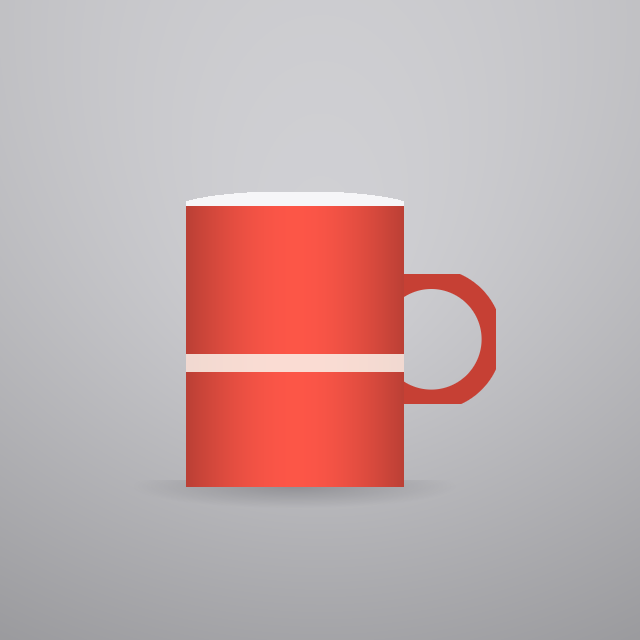 (opens the sample image in a new tab)
A product or a person on any background: a plain wall, a cluttered desk, a phone photo taken at home.
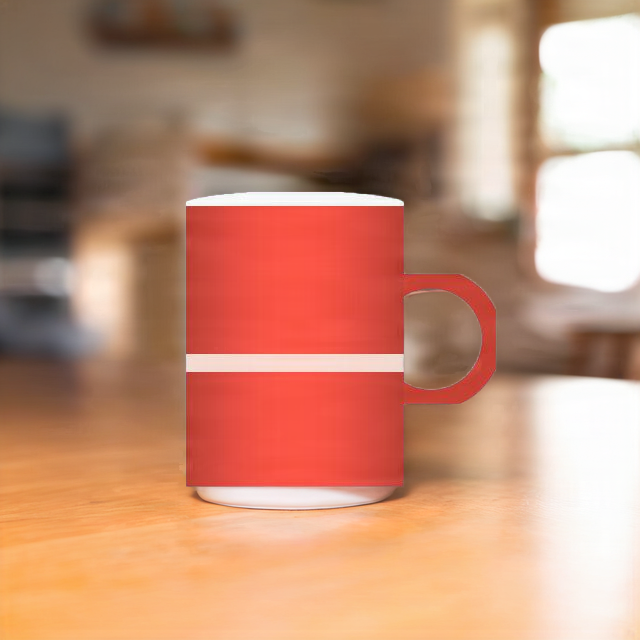 (opens the recorded result in a new tab)
The same subject in the scene you picked, with light and a shadow that fit it. The old background is gone.
What this tool does
Drop or paste a photo, pick a scene — Studio white, Studio grey, Marble table, Wooden table, Outdoor café, Indian festive, Beach, Office and a few more — and press Replace. An AI model separates your subject from its old background and paints only the new scene around it, so the product or person is kept. Under More options you can add a few words of your own ("with a vase of sunflowers") or describe the whole background yourself. It costs 3 credits a photo, the price is on the button before you run it, and nothing is charged if the run fails or is refused. It needs a free account. Your photo goes to our AI provider for this one run, which does not train on it, and our copy and the result are deleted after two hours. The download carries metadata saying it was edited with AI and a provenance id; there is no visible mark on the picture. If the photo shows a person, you will be asked to confirm you have the right to use it.
If this image shows a real person, the result is an AI-manipulated image of that person. It is labelled as AI-edited in its metadata, and you are responsible for having their consent.
What happens to your file
Deleted from our servers after 2 hours. We do not train AI on your files, and the terms of our AI providers do not allow them to; they may keep request logs for up to 55 days, longer for a request they flag for abuse.
Uploads and outputs are deleted after 2 hours, whether or not you download them. Provider request logs are kept for at most 55 days. Details on the privacy page.
Questions
What does it cost?
3 credits a photo. The price is on the button before you run it, the credits are only taken when the new picture is ready, and a run that fails or is refused costs nothing. New accounts get 20 credits.
Is my product or my face changed?
The model we use first cuts your subject out and generates only the background, so the subject's own pixels are kept. If that model is unavailable, a second one does the edit in one step; it is told to keep the subject exactly as it is but may redraw small details such as a label or an edge, so check the result before you use it.
Can I describe my own background?
Yes. Under More options, "Describe it" takes up to 200 characters. What you write is added to the scene you picked, or used alone if you tick "Use only my description". Descriptions that ask for sexual, violent or hateful pictures are refused before anything is charged.
What happens to my photo?
It is sent to our AI provider for this one run, which does not train on it, and our copy and the result are deleted from our servers after two hours. Download the result before then.
Is the result marked as AI-edited?
Yes, in its metadata: every download carries C2PA and XMP data saying it was edited with AI, and a provenance id. There is no visible mark on the picture, so if you share a photo of a real person in a scene they were never in, say so.
Related tools
- Product photo backgrounds for Amazon, Flipkart and MeeshoAI background for product photos: put a product shot on a clean studio, podium, marble or festive background for your Amazon, Flipkart or Meesho listing. 3 credits a photo.
- Remove the background from an imageRemove the background from a photo for free, with no upload and no sign-up: the AI runs in your browser. Get a transparent PNG, or white or any colour.
- Remove an object or a person from a photoRemove an object or a person from a photo: paint over it and AI fills the gap, while the rest of your photo stays as it was. 3 credits a photo.
- AI headshots from your selfiesAI headshot generator: turn one to four selfies into professional headshots for LinkedIn, a CV or a company page. 4 headshots for 20 credits or 8 for 34.