Compress an image to 50 KB
Drop a picture here
PNG, JPG or WebP · one file, up to 12 MB
No file to hand?
or paste it here (Ctrl+V)
Nothing is uploaded: it all happens in this browser.Your picture’s hidden details (camera, GPS location, date) are not kept in the download.
Before and after
The same photo, before and after the search for 50 KB.
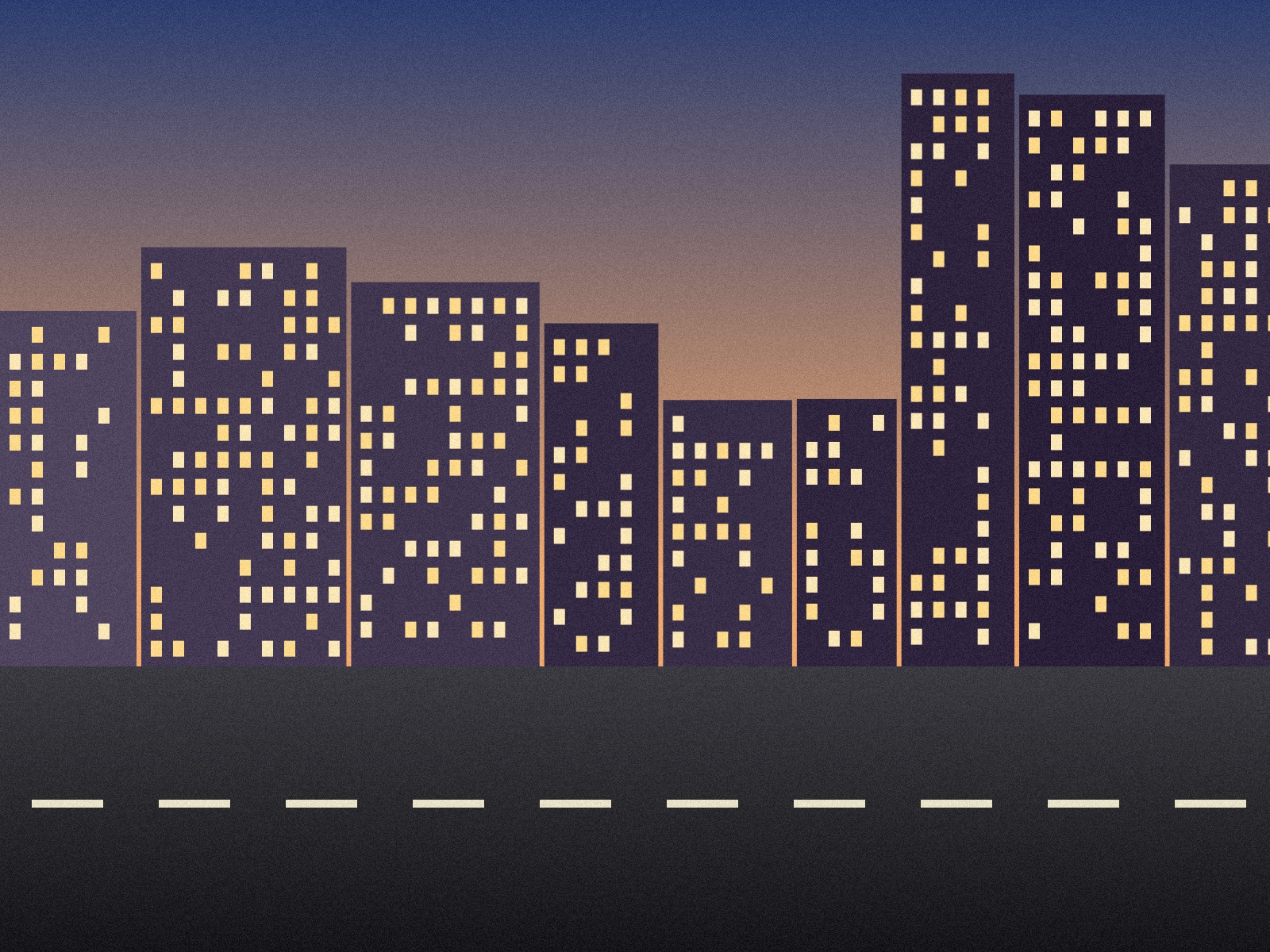 (opens the sample image in a new tab)
658 KB JPEG · 1600 × 1200 px an invented street at dusk, with grain
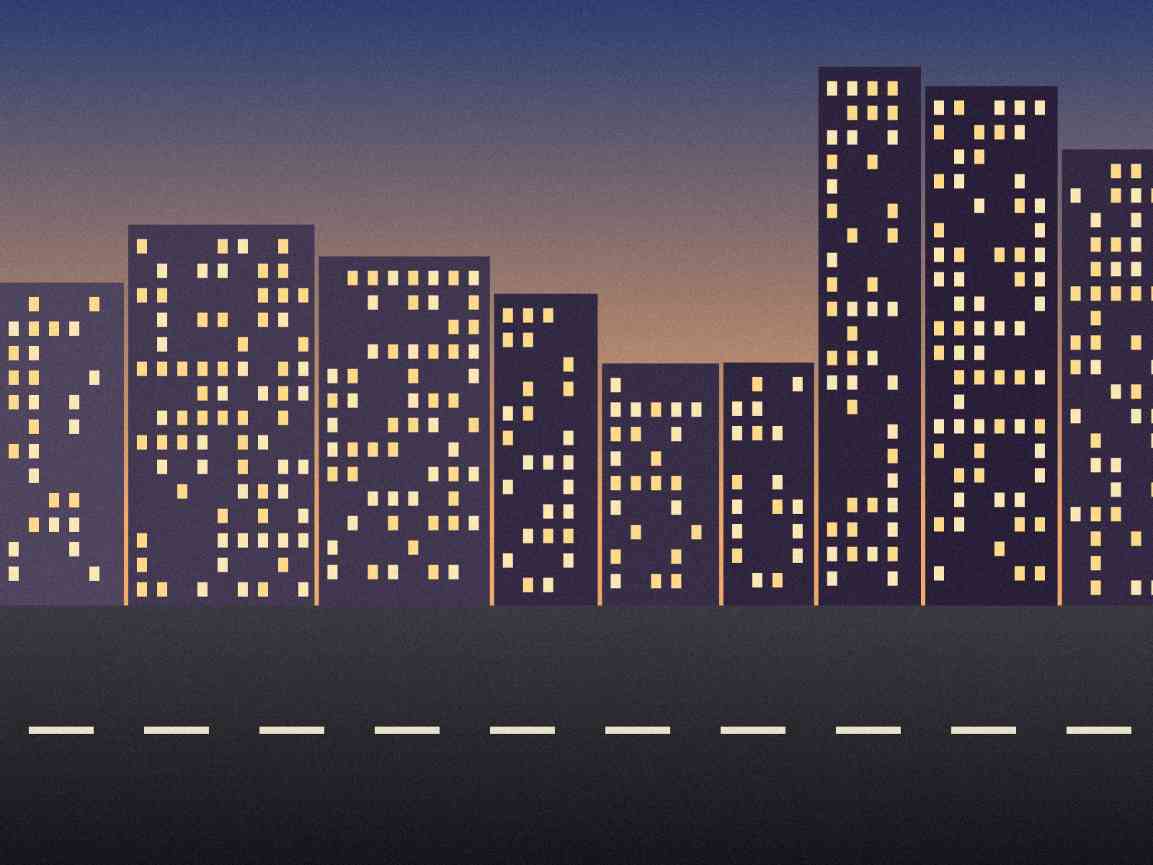 (opens the recorded result in a new tab)
48.2 KB JPEG · 1153 × 865 px quality 30, found by the search
What this tool does
Pick a picture and a size — the page starts at 50 KB — and the tool finds the highest JPEG quality whose file fits under it. If even low quality is too big, it makes the picture smaller, step by step, never below 200 pixels on the long edge; if that still does not fit, it says so and gives you no file rather than one that is over. You can also give a minimum, for a form that wants "between 20 and 50 KB". The size is counted on the file you download, metadata included, and a KB is taken as 1,000 bytes for a maximum, so the file passes whichever way the form counts. The result is always a JPEG in this mode; the other mode lets you pick a quality and a format (JPEG, PNG or WebP) and shows the size before you download. Everything happens in your browser: nothing is uploaded, no watermark is added, and the original's EXIF data is removed.
What happens to your file
Your file never leaves your device. This page opens it, changes it and saves the result in your browser; nothing is uploaded, so there is no copy on our servers to delete.
No AI provider sees it either. The page sends us one count that a run happened — no file, no name, no size. Details on the privacy page.
Questions
Does my photo get uploaded?
No. The page opens the picture, changes it and saves the result inside your browser tab; nothing is uploaded and there is no copy on our servers. The only thing the page sends us is a count that a run happened — no picture, no file name, no size.
Will the file really be under 50 KB?
Yes: the file you download is at most 50,000 bytes, and that count includes the metadata. Forms disagree about whether a KB is 1,000 or 1,024 bytes, so a maximum is counted in thousands — the smaller reading — and a minimum in 1,024s, so the file passes either way. The page shows the exact byte count.
What if my picture cannot get that small?
The tool first lowers the JPEG quality, down to 30. If that is still too big, it makes the picture smaller and tries again, up to four times, never below 200 pixels on the long edge. If it still cannot fit, it tells you the smallest size it reached and gives you no file — a file over the limit would only be rejected by the form.
My form says between 20 and 50 KB. Can it do a minimum too?
Yes — tick "and at least" and type the minimum. If the best fit is below it, the tool raises the quality to 100 and, if that is not enough, enlarges the picture once, by at most one and a half times. If the picture still has too little detail to reach the minimum, it says so and offers the file anyway.
Does it add a watermark or change anything else?
No visible mark or watermark is added — a marked photo would be refused by the form it is for. The file does carry a small metadata record (XMP) saying it was made with filedone.ai with human edits and no AI, with a provenance id. The original's hidden EXIF data — camera model, GPS location, date — is removed, because the picture is re-encoded.
Related tools
- Compress an image to 20 KBBring a JPG, PNG or WebP under 20 KB for an exam form or a portal, without uploading it. The picture is re-encoded on your own device.
- Compress an image to 100 KBBring a JPG, PNG or WebP under 100 KB for an exam form or a portal, without uploading it. The picture is re-encoded on your own device.
- Compress an image to 200 KBBring a JPG, PNG or WebP under 200 KB for an exam form or a portal, without uploading it. The picture is re-encoded on your own device.
- Resize a photo and signature for an exam formMake your photo and signature fit SSC, IBPS, UPSC, NEET or PAN upload rules — size in KB and pixels — in your browser. Nothing is uploaded; no watermark.
- Resize an image by pixels, percent or centimetresResize a JPG, PNG or WebP to exact pixels, a percentage, or a printed size in cm, mm or inches at any dpi. Runs in your browser; nothing is uploaded.
Compress an image to a size in KB
Convert & shrink files
- Compress a PDF to a size in KB
- Convert PDF pages to JPG or PNG images
- Convert an image to JPG, PNG or WebP