Compress a PDF to a size in KB
Compress a PDF to 100 KB, 200 KB, 500 KB or 1 MB for an exam, job or government portal, or as small as it goes. It is free, runs in your browser without uploading anything, and keeps the text selectable.
Drop a PDF here
PDF · one file, up to 50 MB
No file to hand?
or paste it here (Ctrl+V)
Nothing is uploaded: it all happens in this browser.
How to reduce PDF size to 100 KB, 200 KB, 500 KB or 1 MB
- Choose your PDF from your phone or computer, or drop it on the page: one file of up to 50 MB and 300 pages. It opens in this browser tab and is never uploaded.
- Under "Make it at most", pick the size the form asks for — 100 KB, 200 KB, 500 KB or 1 MB — or Smallest possible. The PDF is compressed straight away, and again each time you change the size.
- Check the size before and after, then download the smaller PDF. If your size is out of reach, the page says so and offers the smallest file it made.
Before and after
The same two pages, before and after.
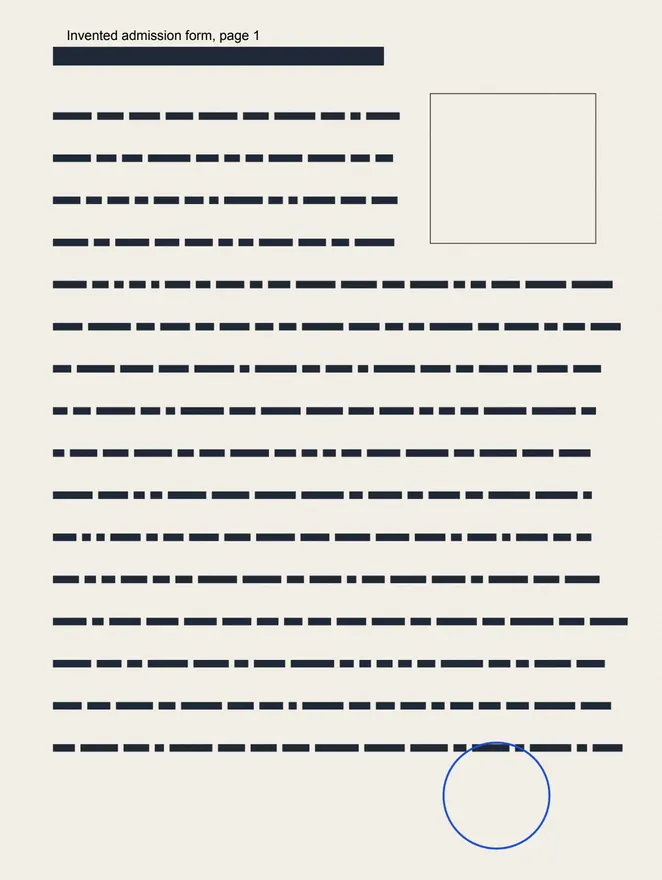 (opens the sample PDF in a new tab)
1.4 MB PDF · page 1 of 2, a scan with a line of selectable text
54,887 bytes · text still selectable
scans redrawn at a readable 72 dots per inch
What this tool does
Choose a PDF of up to 50 MB and 300 pages and a size: smallest possible, or at most 100 KB, 200 KB, 500 KB or 1 MB. First the file is cleaned up without changing anything you see: hidden details, page thumbnails, attached files, leftover and duplicate objects go, and the rest is packed tighter. If that is not enough, the pictures and scans inside are redrawn lighter — fewer dots per inch and stronger JPEG compression, searched until the file fits — while the text and drawings stay exactly as they were, so the text can still be selected. Pictures are never taken below a readable 72 dots per inch. If the size still cannot be reached, the page tells you the smallest size it could make and offers that file; it can also turn every page into a picture, which is much smaller but leaves no selectable text, and it only does that if you say yes. Everything happens in your browser: the PDF is never uploaded, and no watermark is added.
What to do if your PDF is still too large to upload
If your PDF is still over the limit, make its pictures black and white, keep only the pages the form needs, and only as a last resort turn its pages into pictures. Try them in that order: the first two keep the text selectable, and all three are on this page.
- Black and white pictures, under More options: colour pictures and scans turn grey, which is often much smaller.
- Pages to keep, under More options: type only the pages the form needs, such as 1-2. The other pages leave the file, and so do the pictures and fonts only they used.
- Make pages into images, offered when your size is out of reach: every page becomes a picture. It can make the file much smaller, but the text can no longer be selected, searched or copied.
- A portal that reads the text may not accept a PDF made of pictures. To rule that step out, tick "Always keep text selectable" under More options.
Can you compress a PDF without losing quality?
Yes, when a lossless clean-up is enough, and this page always tries that first: it removes hidden details, page thumbnails, attached files and leftover or duplicate objects, and packs the rest tighter. If that alone reaches your size, the text, pictures and layout are exactly as they were.
If it does not, the pictures and scans are made lighter, and that step does lose some detail, in the pictures only. Text, fonts and drawings are kept exactly, so the text stays sharp and selectable. "Pictures no worse than", under More options, sets how far pictures may go: Readable (at least 72 dots per inch, the default), Clear (110) or Sharp (150). A higher choice keeps more detail but may not reach a small size.
| Step | When it runs | What changes |
|---|---|---|
| 1. Clean-up (lossless) | Always, first | Hidden details, thumbnails, attached files and duplicate objects go, and the rest is packed tighter. Nothing you see changes. |
| 2. Lighter pictures (lossy) | If the file is still over your size, or you chose Smallest possible | Pictures and scans are redrawn with fewer dots per inch and stronger JPEG compression, never below 72 dots per inch. Text and drawings are kept exactly. |
| 3. Pages as pictures | Only if your size is still out of reach and you say yes | Every page becomes one picture, and its text can no longer be selected, searched or copied. |
Is it safe to compress a PDF online?
It depends on where the file goes, and on this page it goes nowhere: the PDF is opened, compressed and saved inside your browser tab with pdf-lib, a PDF library downloaded from this site when you choose the file. There is no copy on our servers, and we are told only that a run happened, not the file, its name or its size.
Many online compressors work differently: they upload your PDF to their server, compress it there and delete it after a time their own policy sets. A desktop app keeps the file on your computer, but has to be installed first.
| What differs | This page | An upload-based online tool | A desktop app |
|---|---|---|---|
| Where the work happens | In your browser, on your phone or computer | On the company's server | On your computer |
| Is your PDF uploaded? | No | Yes; how long it is kept depends on their policy | No |
| Anything to install? | No | No | Yes |
What happens to your file
Your file never leaves your device. This page opens it, changes it and saves the result in your browser; nothing is uploaded, so there is no copy on our servers to delete.
No AI provider sees it either. The page sends us one count that a run happened — no file, no name, no size. Details on the privacy page.
Questions
Which size should I pick if the form asks for 300 KB, 50 KB or 2 MB?
Pick the largest size here that is within the limit: 200 KB for a 300 KB limit, and 1 MB for a limit of 2 MB or more. For a limit under 100 KB, pick "Smallest possible", which makes the file as small as it goes while pictures and scans stay readable (at least 72 dots per inch), and check the size shown before you download. The file is at most the size you pick, not exactly that size. Sizes are counted in thousands of bytes, metadata included, so the file passes whether the portal counts a KB as 1,000 or 1,024 bytes.
Why won't my PDF get under 100 KB?
Because this page will not make your PDF unreadable to hit a number. Most of a PDF's weight is usually its pictures and scans; text, fonts and drawings are already compact and are kept exactly, so a long text document may not shrink much. Pictures never go below 72 dots per inch, and some are left as they are: black-and-white scans stored at one bit per dot, pictures in print colours (CMYK), and very large ones over 16 megapixels, such as an A4 page scanned at 600 dots per inch. When a size is out of reach, the page says so and gives you the smallest file it made.
Can I compress a PDF on my phone?
Yes. Open this page in your phone's browser, choose the PDF from your phone, pick a size and download the smaller file; there is no app to install. The compressing is done by your phone, so the PDF is not uploaded, and the limits are the same as on a computer: one PDF at a time, up to 50 MB and 300 pages.
Can I compress a password-protected or digitally signed PDF?
Yes, but the password has to come off first, and a digital signature will not survive. Our Unlock PDF tool removes a password you know, or lifts the file's restrictions, in your browser; then compress the unlocked copy. Without that, a PDF locked against changes can be made smaller here only by turning its pages into pictures, and one that needs a password to open cannot be compressed here at all. Compressing a signed PDF writes a new file, so its digital signature will no longer be valid: keep the original for anywhere that checks the signature.
Is it free, and is there a watermark?
Yes, it is free and needs no account, and no mark is drawn on any page. The file's metadata records that it was made at filedone.ai with no AI involved, under a provenance id. The file's own hidden details — title, author, the app that made it — are removed unless you tick "Keep title and author", and so are page thumbnails and attached files.
Related tools
- Compress a PDF to 100 KBBring a PDF under 100 KB for an exam, job or government portal, without uploading it. Text stays selectable; only the pictures and scans inside are made lighter.
- Compress a PDF to 200 KBBring a PDF under 200 KB for an exam, job or government portal, without uploading it. Text stays selectable; only the pictures and scans inside are made lighter.
- Compress a PDF to 500 KBBring a PDF under 500 KB for an exam, job or government portal, without uploading it. Text stays selectable; only the pictures and scans inside are made lighter.
- Compress an image to a target size in KBMake a photo smaller than 20, 50, 100 or 200 KB — or any size you type — without uploading it. Or pick a quality and see the size first.
- Unlock a PDF — remove a password you know, or its restrictionsTake the password off a PDF you can open — a bank statement, an e-Aadhaar — or lift its print and copy restrictions. It happens on your device: nothing is uploaded, and nothing is guessed.
- Convert PDF pages to JPG or PNG imagesTurn the pages of a PDF into JPG or PNG pictures at 72, 150 or 300 dpi — every page or just the ones you pick. It happens on your own device: the PDF is never uploaded.
Convert & shrink files
Guides, sample files and comparisons
- How to compress a PDF to under 100 KB · guide
- filedone vs Adobe Acrobat · comparison
- filedone vs Sejda · comparison
- filedone vs iLovePDF · comparison
- filedone vs Smallpdf · comparison