Resize an image by pixels, percent or centimetres
Drop a picture here
PNG, JPG or WebP · one file, up to 12 MB
No file to hand?
or paste it here (Ctrl+V)
Nothing is uploaded: it all happens in this browser.Your picture’s hidden details (camera, GPS location, date) are not kept in the download.
Before and after
The same photo, resized for print.
 (opens the sample image in a new tab)
1600 × 1200 px · 658 KB JPEG no print size in its header
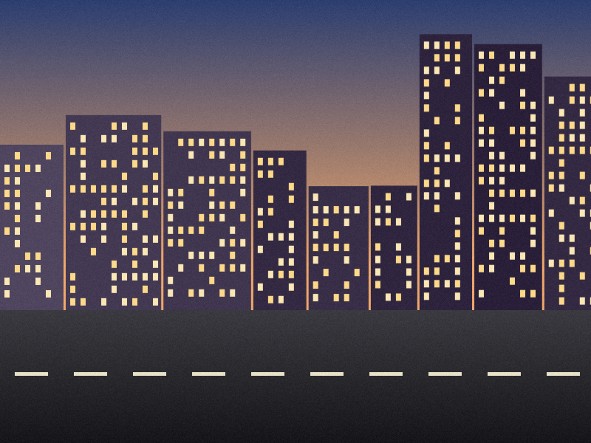 (opens the recorded result in a new tab)
591 × 443 px · 70.2 KB JPEG header says 150 dpi: prints 10.01 × 7.50 cm
What this tool does
Resize a picture by pixels (width and height, with the shape locked unless you unlock it), by percent (25, 50, 75 or any number), or by a printed size in centimetres, millimetres or inches at a dpi you choose (72, 150, 300 or any number). A printed size is turned into whole pixels once — 35 mm at 300 dpi is 413 pixels — and the dpi is written into the JPEG or PNG, so the file prints at that size. "Don't enlarge" is on by default, so a small picture is never blown up by accident. Big reductions are done in halving steps so edges stay smooth. Choose JPEG, PNG or WebP and, for JPEG and WebP, a quality. Everything happens in your browser: nothing is uploaded, no watermark is added, and the original's EXIF data is removed.
What happens to your file
Your file never leaves your device. This page opens it, changes it and saves the result in your browser; nothing is uploaded, so there is no copy on our servers to delete.
No AI provider sees it either. The page sends us one count that a run happened — no file, no name, no size. Details on the privacy page.
Questions
Does my photo get uploaded?
No. The page opens the picture, changes it and saves the result inside your browser tab; nothing is uploaded and there is no copy on our servers. The only thing the page sends us is a count that a run happened — no picture, no file name, no size.
How do centimetres and dpi turn into pixels?
Length × dpi ÷ 2.54 for centimetres (÷ 25.4 for millimetres), rounded once to a whole pixel: 3.5 cm at 300 dpi is 413 pixels, 2 inches at 300 dpi is 600. The dpi is also written into the file's header (JPEG JFIF or PNG pHYs), so a printer or a form that reads it sees the size you asked for. WebP has no place for a dpi, and the page says so if you choose it for print.
What does "Don't enlarge" do?
It stops the tool making a picture bigger than it already is. If you ask for 2000 pixels from a 1200-pixel photo, you get 1200 and a line saying why. Untick it when you really want the picture enlarged — it will be softer, because a resize cannot invent detail.
Which format should I pick?
JPEG for photos and for most forms; PNG for screenshots, drawings or anything with sharp text, and when you need exact colours; WebP for the web, where it is usually the smallest. For a particular size in KB, use the compress tool instead: it searches for the quality that fits.
Does it add a watermark or change anything else?
No visible mark or watermark is added — a marked photo would be refused by the form it is for. The file does carry a small metadata record (XMP) saying it was made with filedone.ai with human edits and no AI, with a provenance id. The original's hidden EXIF data — camera model, GPS location, date — is removed, because the picture is re-encoded.
Related tools
- Compress an image to a target size in KBMake a photo smaller than 20, 50, 100 or 200 KB — or any size you type — without uploading it. Or pick a quality and see the size first.
- Resize a photo and signature for an exam formMake your photo and signature fit SSC, IBPS, UPSC, NEET or PAN upload rules — size in KB and pixels — in your browser. Nothing is uploaded; no watermark.
- Make a small image biggerEnlarge a small picture 2× or 4× for free without uploading it — the model runs on your own device. A better server version that rebuilds fine detail costs 2 credits an image.
- Make a screenshot look presentablePut a screenshot on a background with padding, rounded corners and a shadow. No AI, no upload, no account — it is drawing, done in your browser.