Make a small image bigger
Drop a picture here
PNG, JPG or WebP · one file, up to 12 MB
No file to hand?
or paste it here (Ctrl+V)
The free version runs in this browser: nothing is uploaded.
Before and after
What this model is for, and what it will not do.
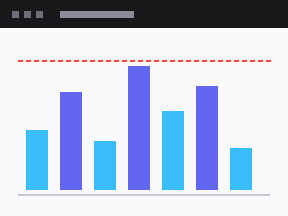 (opens the sample image in a new tab)
Sharpens edges, removes JPEG mush and banding, keeps straight lines straight. Good on screenshots, charts, scans, logos and product shots.
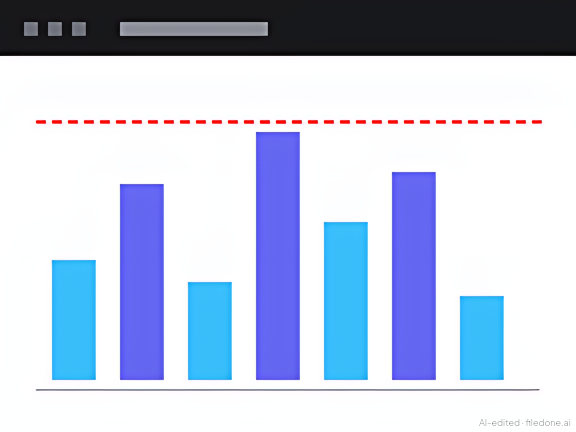 (opens the recorded result in a new tab)
576 × 432 from 288 × 216: cleaner edges, and the dashed line kept. It will not invent faces, text or texture that was not there — a blurred photo comes back larger, cleaner and still blurred.
What this tool does
This tool enlarges a small picture by two or four times and cleans it up as it goes. The free version runs in your browser: a 4.9 MB model called realesr-general-x4v3 is downloaded once and then works on your own processor, so for it the picture is never uploaded. The model sharpens edges and removes compression noise; it does not invent detail that was not in the original, which is a limitation on a blurry photograph and exactly the right behaviour on a scan, a screenshot or a document, where invented detail would be a forgery. It works in overlapping tiles, so a large image takes proportionally longer — the page tells you roughly how long before you start. Results can be up to about 32 megapixels on a computer and about 16 on a phone; if the size you picked would be bigger than that, the page makes it as large as your device can and tells you the factor it used. For a photo where you want real detail, "Better quality · 2 credits" (signed in) sends your original to a much larger upscaling model on our server, makes results up to 16 megapixels and tells you the size before you press it; that upload and its result are deleted after 2 hours. Everything you download carries a metadata label — the free one also a visible mark, the better one a cryptographic signature. If the picture is of a real person, the version you download has been changed by AI — the added detail is reconstructed, not recovered — and it carries a machine-readable mark saying so.
If this image shows a real person, the result is an AI-manipulated image of that person. It is labelled as AI-edited in its metadata, and you are responsible for having their consent.
What happens to your file
The free version: your picture never leaves your device.The model is downloaded to your browser and runs there; the page sends us one count that a run happened — no file, no name, no size.
The better version (2 credits): only when you press it, your original is uploaded to our server and sent to an AI provider to make the result. Deleted from our servers after 2 hours. We do not train AI on your files, and the terms of our AI providers do not allow them to; they may keep request logs for up to 55 days, longer for a request they flag for abuse.
Uploads and outputs are deleted after 2 hours, whether or not you download them. Provider request logs are kept for at most 55 days. Details on the privacy page.
Questions
Does my image get uploaded?
Not for the free result. The model file comes from us once and your browser runs it on your own processor; we count that a run happened and learn nothing about the picture. Only if you press "Better quality · 2 credits" is your original uploaded: it goes to our server and to the AI provider that makes the enlargement (which does not train on it and deletes it within the hour), and the upload and the result are deleted from our servers after 2 hours.
How long does it take?
It depends on the size of the picture you start with, and the page tells you before you start. Measured on the model this page ships, on the single-threaded WASM backend that a browser without WebGPU uses: about 12 seconds for a 288×216 image, and 242 seconds — about four minutes — per megapixel of input. A small icon or screenshot is seconds; a 1,000×1,000 photo is about four minutes, whichever size you pick, because the model does the same work on every input pixel. On WebGPU it is roughly twice as fast, not ten times — the model is small and the work comes in tiles, so the GPU spends much of its time waiting to be handed the next one.
How big can the result be?
About 32 megapixels on a computer — roughly 6,500×4,900 — and about 16 on a phone or a machine with little memory. The limit is memory, not time: the finished picture has to fit in your browser tab, and 32 megapixels is already 128 MB of it. If the size you picked would be larger, the page does not refuse; it makes the picture as large as your device can, such as 2.6× instead of 4×, and says so. Only a picture that is already about that size is turned away, because there is nothing left to enlarge it into. The better version (2 credits, signed in) is different: it runs a much larger model on our server that rebuilds fine texture rather than only sharpening — the one to use on a small photograph — and makes results up to 16 megapixels on any device; the page tells you the exact size before you press it.
Why does 2× run the model at 4× and then shrink it?
Because that is what the model was trained for. realesr-general-x4v3 has a fixed four-times scale; asking a network for a size it was never trained at gives a worse result than running it natively and halving the output. It costs the same time either way.
What is the mark on the downloaded image?
Small, faint visible text reading "AI-edited · filedone.ai" in the bottom-right corner, plus an XMP metadata packet recording that the image was enhanced by an algorithm, which tool did it, and an id derived from the finished pixels. The browser version carries no cryptographic signature, so the label can be stripped. The better version is made on our server and signed there: the same metadata plus an embedded C2PA signature and an invisible watermark, and no visible text.
Related tools
- Resize an image by pixels, percent or centimetresResize a JPG, PNG or WebP to exact pixels, a percentage, or a printed size in cm, mm or inches at any dpi. Runs in your browser; nothing is uploaded.
- Compress an image to a target size in KBMake a photo smaller than 20, 50, 100 or 200 KB — or any size you type — without uploading it. Or pick a quality and see the size first.
- Remove the background from an imageRemove the background from a photo for free, with no upload and no sign-up: the AI runs in your browser. Get a transparent PNG, or white or any colour.
- Remove an object or a person from a photoRemove an object or a person from a photo: paint over it and AI fills the gap, while the rest of your photo stays as it was. 3 credits a photo.
- Make a screenshot look presentablePut a screenshot on a background with padding, rounded corners and a shadow. No AI, no upload, no account — it is drawing, done in your browser.