Add a watermark to photos
Drop pictures here
PNG, JPG, WebP or HEIC · up to 10 files, 12 MB each
No file to hand?
or paste it here (Ctrl+V)
Nothing is uploaded: it all happens in this browser.Your picture’s hidden details (camera, GPS location, date) are not kept in the download.
Before and after
The same photo, before and after.
 (opens the sample image in a new tab)
658 KB JPG · 1600 × 1200 px an invented street at dusk
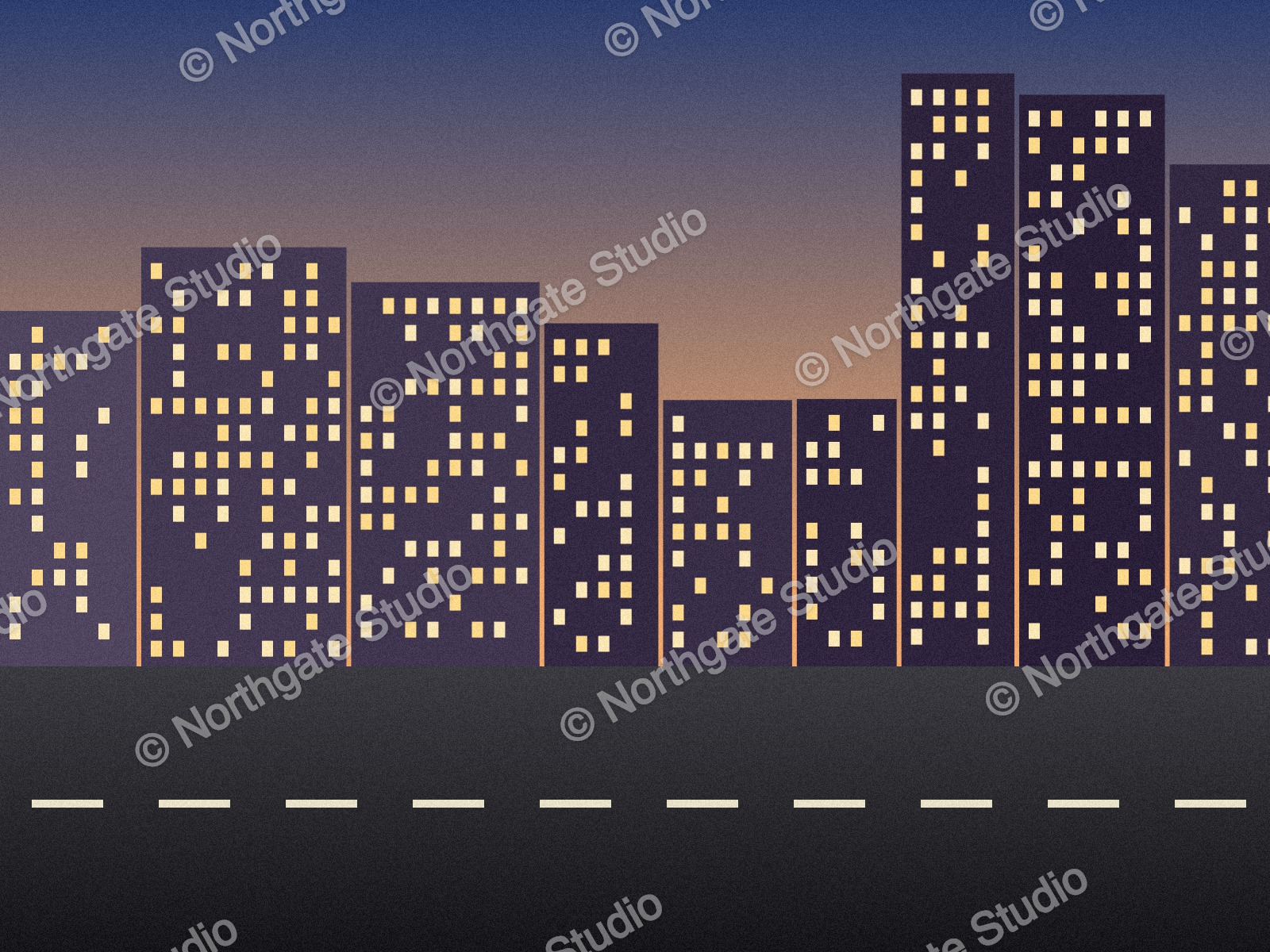 (opens the recorded result in a new tab)
686 KB JPG · 1600 × 1200 px "© Northgate Studio", repeated at −30°, 40% opacity
What this tool does
Type your text — a name, "© 2026 Your Studio", or what a copy is for — or choose a logo (a PNG with a see-through background looks best; JPG, WebP and SVG work too). Pick one of nine places or repeat it across the whole picture, then set its size (how much of the picture's width it spans) and its opacity; the preview updates as you go. Under More options: the typeface, bold, colour, angle, the gap to the edge, a soft shadow that keeps light text readable on light areas, and the file type and quality. The size is a share of each picture's width, so the same settings suit every photo in a batch, and "Download all" marks up to ten and gives you one zip. Everything happens in your browser — the photos and the logo are never uploaded — and filedone.ai adds no mark of its own.
What happens to your file
Your file never leaves your device. This page opens it, changes it and saves the result in your browser; nothing is uploaded, so there is no copy on our servers to delete.
No AI provider sees it either. The page sends us one count that a run happened — no file, no name, no size. Details on the privacy page.
Questions
Do my photos or my logo get uploaded?
No. The page opens the photos and the logo, draws the watermark and saves the results inside your browser tab; nothing is uploaded and there is no copy on our servers. The only thing the page sends us is a count that a run happened — no picture, no text, no file name.
Can I watermark many photos at once?
Yes, up to ten. Choose them together and set the watermark on the first: the size is a share of each picture's width, so it looks the same on a small photo and a large one. "Download all" marks every one and gives you a single zip.
Can I use my logo instead of text?
Yes: switch to Logo and choose the file. A PNG with a see-through background looks best, because only the logo shows; a JPG logo brings its background box with it. An SVG logo is drawn large first, so it stays sharp at any size.
Can I mark a copy of an ID or a document I am sending, such as for KYC?
Yes — it is a common way to stop a copy being reused. Type what the copy is for and the date, for example "For KYC at ABC Bank only, 24 Sep 2026", choose "Repeat across the picture" and an opacity around 30–40% so the details stay readable. It makes misuse harder, not impossible; send copies only to people who need them.
Does filedone.ai add its own watermark?
No. The only mark on the picture is yours. The file does carry a small metadata record (XMP) saying it was made with filedone.ai with human edits and no AI, with a provenance id; the photo's hidden details (camera, location, date) are not copied.
Related tools
- Crop an image online, in your browserCrop a JPG, PNG or WebP by dragging a box or typing exact pixels, with 1:1, 4:5, 16:9 and social media sizes, rotate and flip. Runs in your browser; nothing is uploaded.
- Resize an image by pixels, percent or centimetresResize a JPG, PNG or WebP to exact pixels, a percentage, or a printed size in cm, mm or inches at any dpi. Runs in your browser; nothing is uploaded.
- Compress an image to a target size in KBMake a photo smaller than 20, 50, 100 or 200 KB — or any size you type — without uploading it. Or pick a quality and see the size first.
- Rotate or flip an imageTurn a sideways photo upright, rotate 90° or 180°, mirror it, or straighten a tilted horizon. JPG, PNG, WebP and iPhone HEIC, one or ten at once; nothing is uploaded.
- Blur, pixelate or black out part of an imageHide a name, a number, a face or a number plate: drag a box over it and blur it, pixelate it or black it out. Runs in your browser; nothing is uploaded.
- Convert HEIC to JPGConvert iPhone HEIC photos to JPG free — up to ten at once, with no sign-up and no watermark. It runs in your browser, so nothing is uploaded.