Blur, pixelate or black out part of an image
Drop a picture here
PNG, JPG or WebP · one file, up to 12 MB
No file to hand?
or paste it here (Ctrl+V)
Nothing is uploaded: it all happens in this browser.Your picture’s hidden details (camera, GPS location, date) are not kept in the download.
Before and after
The same screenshot, with the contact details blacked out.
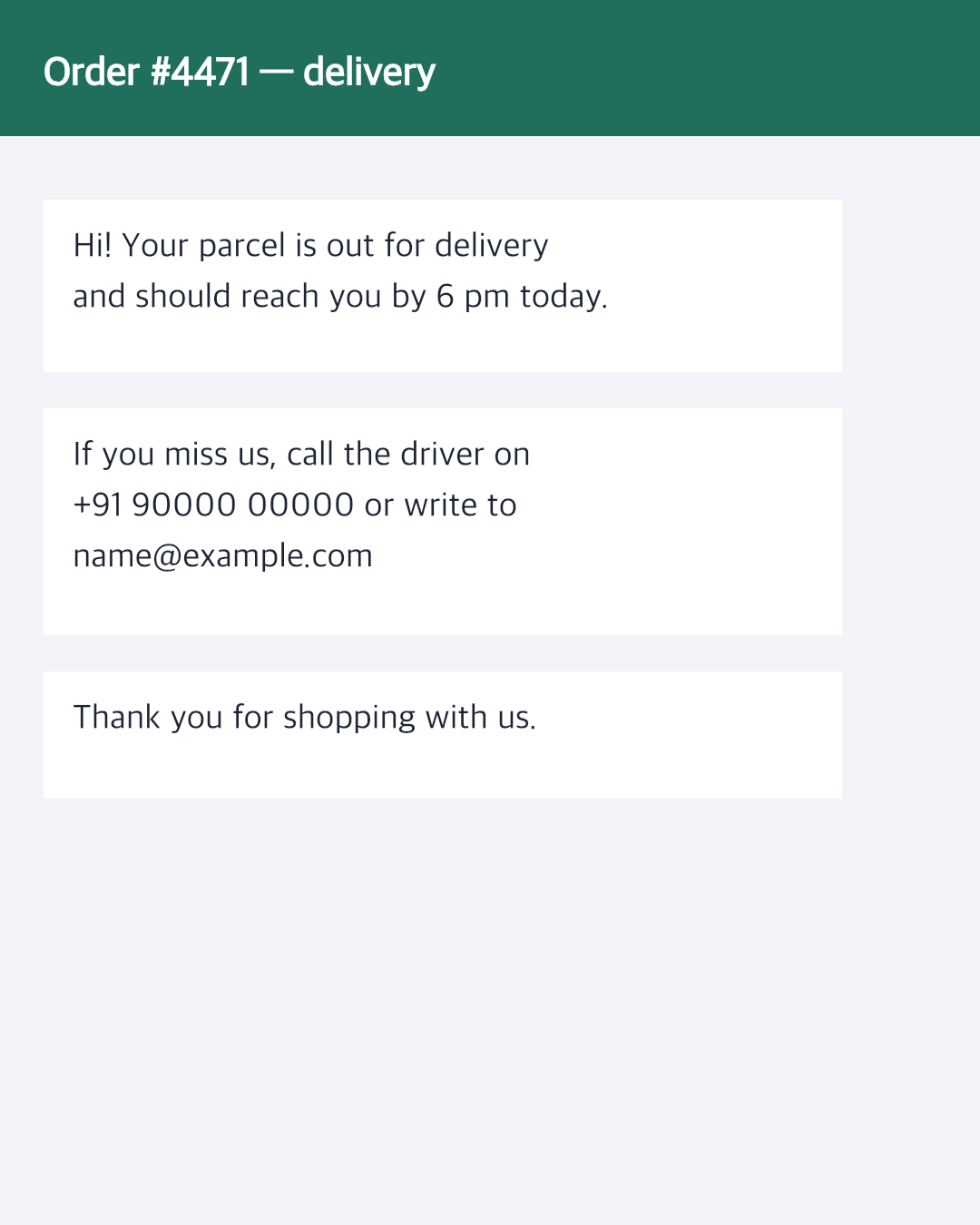 (opens the sample image in a new tab)
1080 × 1350 px · 71 KB PNG a phone number and an email in the message
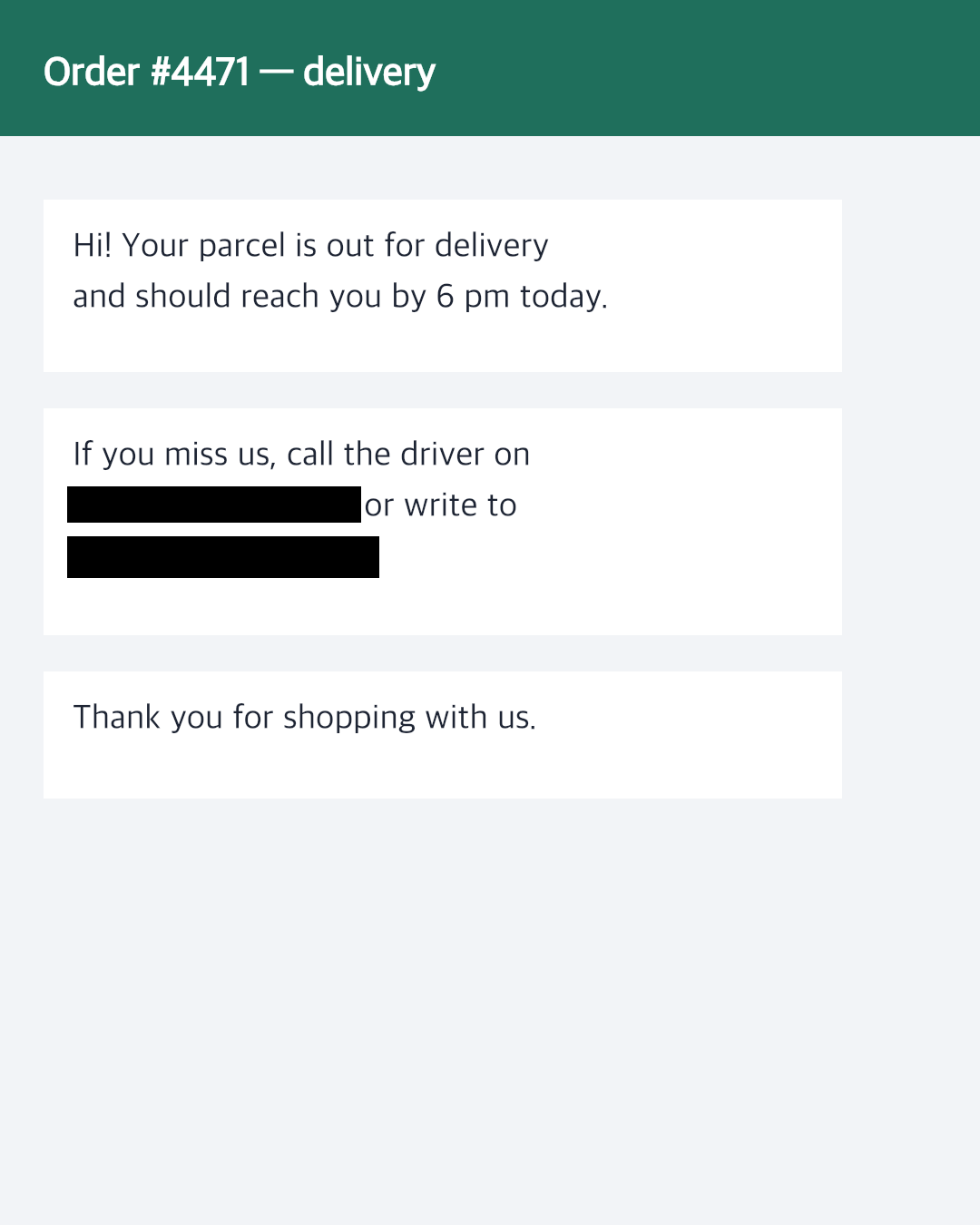 (opens the recorded result in a new tab)
1080 × 1350 px · 61 KB PNG two black boxes; the pixels under them are gone
What this tool does
Pick a picture and drag on it to mark what to hide — or press "Add an area" and move the box into place, which is the way on a phone. Mark as many areas as you need, as rectangles or ovals. Choose blur, pixelate or a black box; the picture shows the result as you go, and the download is made from the full-size picture. For text in a screenshot, use a black box: blurred or pixelated text can sometimes be read back, a black box cannot. Small areas are never blurred less than enough to hide them, and a little random noise is added so a blur cannot simply be worked backwards. Everything happens in your browser: nothing is uploaded, no watermark is added, and the original's EXIF data is removed.
What happens to your file
Your file never leaves your device. This page opens it, changes it and saves the result in your browser; nothing is uploaded, so there is no copy on our servers to delete.
No AI provider sees it either. The page sends us one count that a run happened — no file, no name, no size. Details on the privacy page.
Questions
Does my picture get uploaded?
No. The picture is opened, changed and saved inside your browser tab; nothing is uploaded and there is no copy on our servers. The only thing the page sends us is a count that a run happened — no picture, no file name, no size.
Should I blur or black out text?
Black it out. Blurred or pixelated text can sometimes be read back, especially short things like numbers, because there are only so many ways the letters can look. A black box replaces the pixels with solid colour, so there is nothing left to recover. Blur and pixelation are fine for faces and backgrounds.
Is a black box here the same as drawing a box in another app?
It is stronger than some. The pixels under the box are replaced in the picture itself and the file is saved again from scratch, so there is no hidden layer and no original underneath to uncover. Some editors and PDF tools only lay a shape on top, which can be removed.
Can it find faces for me?
Yes. Under "More options", press "Find faces": a small face finder runs in your browser and marks each face it finds. The blur faces page does this on its own as soon as you pick a photo.
Does it add a watermark?
No visible mark or watermark is added. The file does carry a small metadata record (XMP) saying it was made with filedone.ai with human edits and no AI, with a provenance id. The original's hidden EXIF data — camera model, GPS location, date — is removed, because the picture is re-encoded.
Related tools
- Blur faces in a photo, automaticallyFaces are found and blurred for you: pick a photo, untick any face you want to keep, and download. Blur, pixelate or black out. Runs in your browser; nothing is uploaded.
- Redact a PDF — remove Aadhaar, PAN and account numbers for goodBlack out Aadhaar, PAN, IFSC, account and card numbers, phones and emails in a PDF, or any word, area or page. Marked text is removed from the file, not covered, and the PDF is never uploaded.
- Crop an image online, in your browserCrop a JPG, PNG or WebP by dragging a box or typing exact pixels, with 1:1, 4:5, 16:9 and social media sizes, rotate and flip. Runs in your browser; nothing is uploaded.
- Compress an image to a target size in KBMake a photo smaller than 20, 50, 100 or 200 KB — or any size you type — without uploading it. Or pick a quality and see the size first.