Rotate or flip an image
Drop pictures here
PNG, JPG, WebP or HEIC · up to 10 files, 12 MB each
No file to hand?
or paste it here (Ctrl+V)
Nothing is uploaded: it all happens in this browser.Your picture’s hidden details (camera, GPS location, date) are not kept in the download.
Before and after
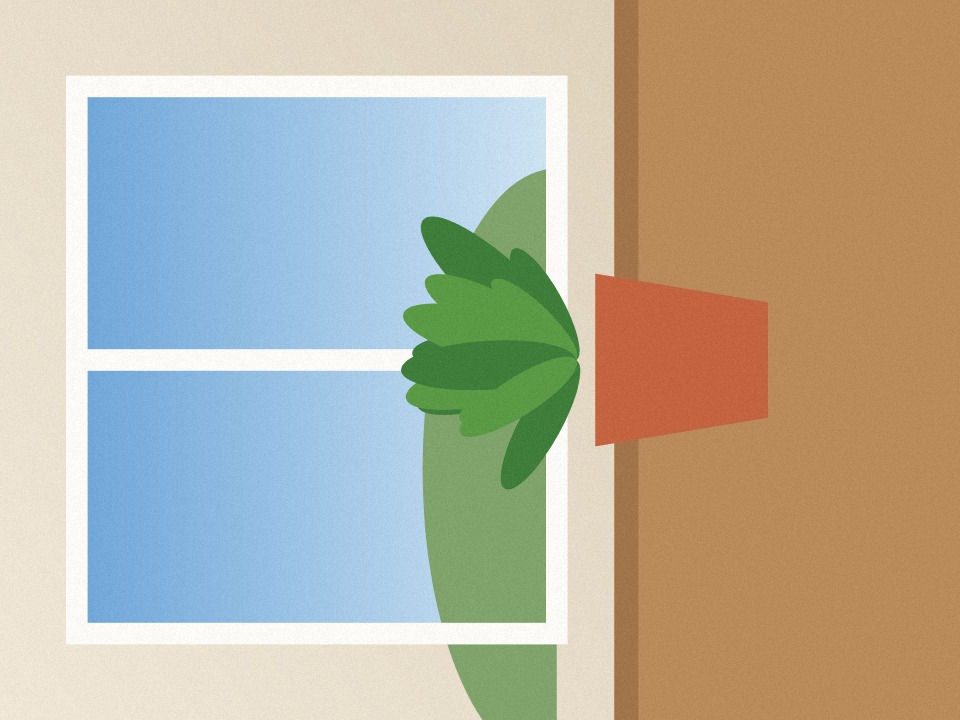
The same photo, before and after one click on "Rotate right".
 (opens the sample image in a new tab)
122 KB JPG · 960 × 720 px on its side
 (opens the recorded result in a new tab)
123 KB JPG · 720 × 960 px upright, every pixel moved, none resampled
What this tool does
Choose a picture and turn it a quarter left or right, or flip it left to right or upside down; the result updates as you click, and a line says what it has become. A quarter turn or a flip moves every pixel exactly — nothing is resampled — and the picture is saved upright in its pixels, so it shows the right way up everywhere, even on sites that ignore a camera's rotation flag. Under More options you can also straighten by up to 45 degrees (the empty corners that leaves are trimmed unless you say otherwise), and choose the file type and quality: the picture keeps its own type, and an iPhone HEIC comes back as a JPG. With several pictures, "Download all" turns every one the same way and gives you one zip. Nothing is uploaded, no watermark is added, and hidden details (camera, location, date) are not copied.
What happens to your file
Your file never leaves your device. This page opens it, changes it and saves the result in your browser; nothing is uploaded, so there is no copy on our servers to delete.
No AI provider sees it either. The page sends us one count that a run happened — no file, no name, no size. Details on the privacy page.
Questions
Does my picture get uploaded?
No. The page opens the picture, turns it and saves the result inside your browser tab; nothing is uploaded and there is no copy on our servers. The only thing the page sends us is a count that a run happened — no picture, no file name, no size.
Why does my photo look fine on my phone but sideways when I upload it?
Phones often save a photo on its side with a note saying how to turn it; your phone reads the note, and some sites and forms do not. Turning it here saves the pixels the right way up, so it shows correctly everywhere.
Does rotating reduce the quality?
A quarter turn or a flip moves every pixel exactly, so nothing is blurred. A JPG is saved again at quality 92 (you can change it under More options), which looks the same to the eye; a PNG loses nothing. Straightening by a few degrees has to redraw the picture, which softens it very slightly.
Can I rotate many photos at once?
Yes, up to ten. Choose them together, turn the first the way they all need, and "Download all" turns every one the same way and gives you a single zip.
Does it add a watermark or change anything else?
No visible mark or watermark is added. Hidden details (camera, location, date) are not copied. The file does carry a small metadata record (XMP) saying it was made with filedone.ai with human edits and no AI, with a provenance id.
Related tools
- Crop an image online, in your browserCrop a JPG, PNG or WebP by dragging a box or typing exact pixels, with 1:1, 4:5, 16:9 and social media sizes, rotate and flip. Runs in your browser; nothing is uploaded.
- Resize an image by pixels, percent or centimetresResize a JPG, PNG or WebP to exact pixels, a percentage, or a printed size in cm, mm or inches at any dpi. Runs in your browser; nothing is uploaded.
- Convert HEIC to JPGConvert iPhone HEIC photos to JPG free — up to ten at once, with no sign-up and no watermark. It runs in your browser, so nothing is uploaded.
- Compress an image to a target size in KBMake a photo smaller than 20, 50, 100 or 200 KB — or any size you type — without uploading it. Or pick a quality and see the size first.
- Add a watermark to photosPut your name, a copyright line or your logo on one photo or a whole batch: in a corner or repeated across it, at the size, opacity and angle you choose. Nothing is uploaded.