Remove a watermark from a PDF
Free account · 20 free credits. Sign up to run it.
Drop a PDF here
PDF · one file
or paste it here (Ctrl+V)
Nothing is uploaded until you press Find the watermarks.
Before and after
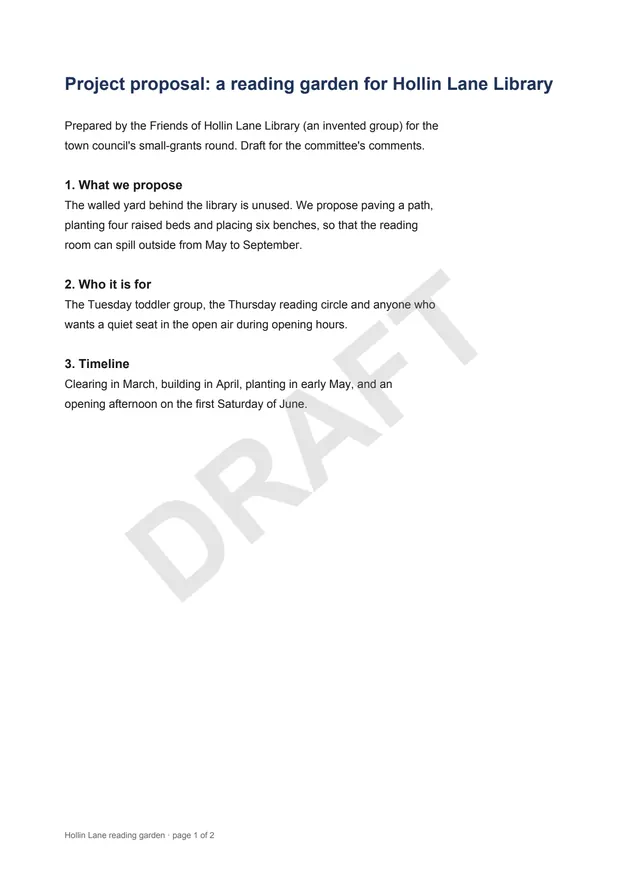
A proposal marked DRAFT, and the same file with the mark taken out.
 (opens the sample PDF in a new tab)
Page 1: DRAFT is one line of text laid over the page.
The same two pages without DRAFT.
Only that object was cut out; the text,
fonts and layout stayed as they were.
What this tool does
This tool takes a visible watermark out of a PDF when the watermark is its own object in the file: a line of text such as DRAFT, SAMPLE, CONFIDENTIAL or COPY laid over the pages, a stamp, a logo, or a see-through mark tiled across the page or drawn on the diagonal. Choose a PDF of up to 50 MB and press Find the watermarks. We upload it, read how its pages are built and show you what we found — a small picture of each mark, what kind of object it is and which pages it is on — each one ticked. Untick anything you want to keep; nothing you untick is touched. Then tick the declaration that you own the file, or have the right to change it and to remove the mark: it is needed on every run. The price is on the button before you press it — 1 credit per file — and the tool needs a free account. We cut only the ticked objects out of the file, leave everything else in it as it was, and compare the pages before and after. Hidden provenance marks — the document's metadata, files embedded in it and content credentials — are never removed, and the file you get back carries ours: XMP metadata saying it was edited, a provenance id and a signed .c2pa content-credentials file you can download beside it. A watermark that is part of a scanned page's picture is not something this page removes yet. Your PDF and the result are deleted from our servers after two hours.
The edited file is an AI-manipulated version of your document. It is marked as AI-edited in its metadata; using it to misrepresent a real document is prohibited by our rules.
What happens to your file
Deleted from our servers after 2 hours. We do not train AI on your files, and the terms of our AI providers do not allow them to; they may keep request logs for up to 55 days, longer for a request they flag for abuse.
Uploads and outputs are deleted after 2 hours, whether or not you download them. Provider request logs are kept for at most 55 days. Details on the privacy page.
Questions
Which watermarks can it remove?
Visible marks that are separate objects in the PDF: text laid over the pages such as DRAFT, SAMPLE, CONFIDENTIAL or COPY, a stamp, a logo, and see-through marks tiled across the page or drawn on the diagonal. We find them by how the file is built, not by how the page looks, so the document's own text and a logo printed once at the top of page 1 are not offered as marks. If the watermark is part of a scanned page's picture, there is no object to take out: this page does not handle that yet, says so, and has nothing to charge you for.
Will I see what it is going to remove before I pay?
Yes. Looking is free: after you choose the PDF we list what we found — a small picture of each mark, what kind of object it is and which pages it is on — each one ticked. Untick anything you want to keep; nothing you untick is touched. The price is on the button before you press it, and you are charged only when the run succeeds. Afterwards the page says what was removed and which pages changed, and asks you to check the result if our comparison was not sure.
Why do I have to tick a declaration?
Because taking a mark off a document can be used to pass off someone else's work or to alter an official document. Every run asks you to confirm, in these words: "I own this file, or I have the right to change it and to remove this mark. I will not use the result to pass off someone else's work or to alter an official document." The run does not start without it, and your confirmation is recorded with the run.
Does it remove hidden marks, metadata or content credentials?
No, never. It removes visible marks only. Hidden provenance marks — the document's metadata, files embedded in it and content credentials — are not listed and not touched, whatever you tick. The file you get back carries ours as well: XMP metadata saying it was edited, a provenance id, and a signed .c2pa content-credentials file you can download beside it. Our signature is self-issued today, so it proves the file has not changed since we signed it, not who we are. No visible mark is added to your pages.
What does it cost, and what happens to my file?
1 credit per file, shown on the button before you press it, and you are charged only when the run succeeds. It needs a free account; new accounts get 20 credits. Your PDF is uploaded to our server to be read and changed there. It and the result are deleted after two hours, whether or not you download the result, and your file is not used to train anything.
Related tools
- Add a watermark to a PDF — words or a logoStamp CONFIDENTIAL, DRAFT, your name or your logo on every page of a PDF — once across the middle or tiled — in the size, colour, angle and see-through you choose. Nothing is uploaded.
- Remove a watermark from an imagePaint over a watermark, logo or stamp on a picture you own — every copy of it, if it repeats — and it is taken out. 3 credits an image.
- Edit the text in a PDFSay what should change — a date, a name, a price — and get the same PDF back with those words rewritten in place, matching the font. Removed from our servers after 2 hours.
- Redact a PDF — remove Aadhaar, PAN and account numbers for goodBlack out Aadhaar, PAN, IFSC, account and card numbers, phones and emails in a PDF, or any word, area or page. Marked text is removed from the file, not covered, and the PDF is never uploaded.