Protect a PDF with a password (AES-256)
Drop a PDF here
PDF · one file, up to 50 MB
No file to hand?
or paste it here (Ctrl+V)
Nothing is uploaded: it all happens in this browser.
Before and after
The same page, locked.
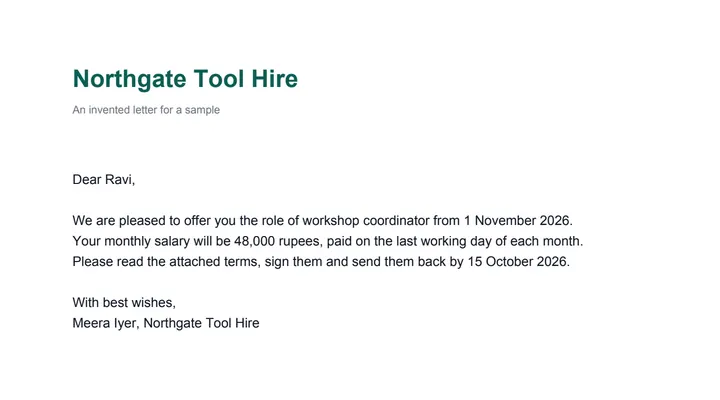 (opens the sample PDF in a new tab)
An invented one-page letter, not locked
Opens only with the password (sample123).
AES-256; the page is exactly as it was.
What this tool does
Choose a PDF of up to 50 MB and 300 pages and type a password twice. As soon as the two agree, the file is locked with AES-256 — the strongest encryption a PDF has — and ready to download: opening it then needs the password. Under More options you can also stop printing, copying text and pictures, or changes, and set a second, permissions password that opens the file with everything allowed. The work is done by qpdf, a free PDF tool, which downloads to your browser from this site when you choose the file; the file and the passwords stay on your device and are not saved. The pages are exactly as they were. No mark is added to your file; one small metadata label, saying it was made at filedone.ai with no AI, stays readable without the password, and everything else is encrypted.
What happens to your file
Your file never leaves your device. This page opens it, changes it and saves the result in your browser; nothing is uploaded, so there is no copy on our servers to delete.
No AI provider sees it either. The page sends us one count that a run happened — no file, no name, no size. Details on the privacy page.
Questions
How strong is the protection?
The file is encrypted with AES-256, the strongest method the PDF format has (PDF 2.0's), which every current reader opens. The password matters more than the method: a short or common one can be guessed by someone with the file, so use eight characters or more and not your name or birthday.
Is my PDF or my password uploaded?
No. The file is locked by qpdf, a free PDF tool that downloads to your browser from this site when you choose the file, and runs there. The passwords are used in this tab only — they are not sent anywhere, not saved and not logged. The only thing we are told is that a run happened.
What do the printing, copying and changes switches do?
Under More options you can let someone with the password read the file but not print it, copy its text and pictures, or change it. Adobe Reader, browsers and phone readers respect these switches, but not every program does, so they are a request rather than a lock. A permissions password, if you set one, opens the file with everything allowed.
I forgot the password. Can you open the file?
No, and nobody else can either — that is the point of the lock, and the password never reaches us. Keep your original, unprotected file, and keep the password somewhere safe.
Is there a watermark, and what else changes?
No mark is drawn on any page, and the pages are exactly as they were. The file's metadata records that it was made at filedone.ai with no AI involved, under a provenance id; that one label is left readable without the password, and nothing in it is about you or the document. A PDF that already needs a password must be unlocked first; one with restrictions only gets your new settings instead.
Related tools
- Unlock a PDF — remove a password you know, or its restrictionsTake the password off a PDF you can open — a bank statement, an e-Aadhaar — or lift its print and copy restrictions. It happens on your device: nothing is uploaded, and nothing is guessed.
- Add a watermark to a PDF — words or a logoStamp CONFIDENTIAL, DRAFT, your name or your logo on every page of a PDF — once across the middle or tiled — in the size, colour, angle and see-through you choose. Nothing is uploaded.
- Redact a PDF — remove Aadhaar, PAN and account numbers for goodBlack out Aadhaar, PAN, IFSC, account and card numbers, phones and emails in a PDF, or any word, area or page. Marked text is removed from the file, not covered, and the PDF is never uploaded.
- Compress a PDF to a size in KBReduce a PDF's size for free — as small as it goes, or under 100 KB, 200 KB, 500 KB or 1 MB for a portal. Nothing is uploaded; text stays selectable.
Protect & sign
Guides and free sample files
- Sample fillable PDF form · free sample file