Crop a PDF — cut the margins off every page or one
Drop a PDF here
PDF · one file, up to 50 MB
No file to hand?
or paste it here (Ctrl+V)
Nothing is uploaded: it all happens in this browser.
Before and after
The same page, cropped to the ticket.
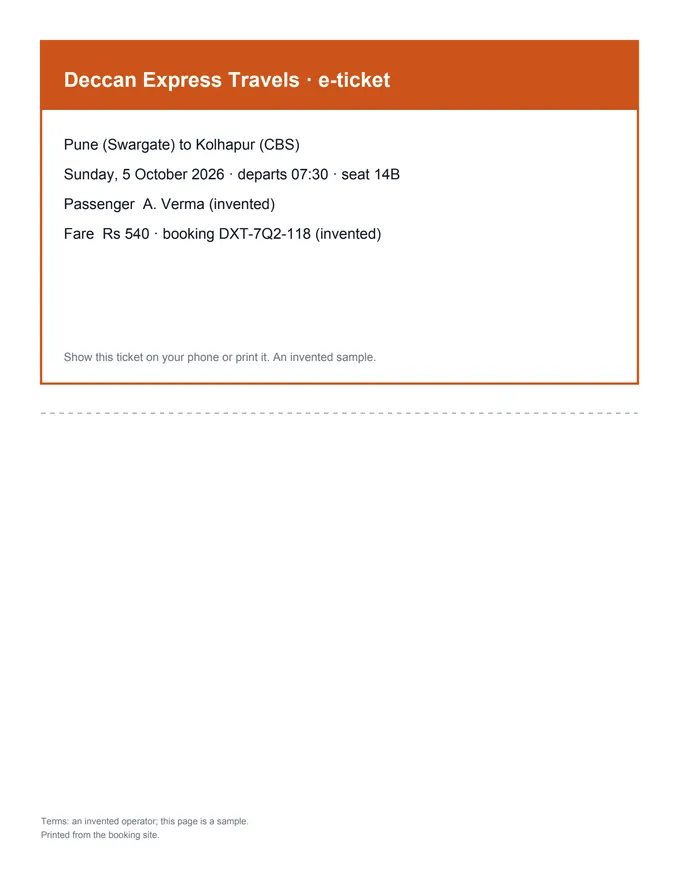 (opens the sample PDF in a new tab)
The invented ticket printout
Just the ticket, the size
of the ticket, easy to read on a phone.
What this tool does
Choose a PDF of up to 50 MB and 300 pages. The page shows it with a box on it: drag across the page to draw the part you want to keep, drag a corner of the box to resize it, or its edge to move it. Crop every page the same way, or only the page you are looking at. Under More options you can type the margins to cut off in millimetres instead, and also make the page size itself smaller, for the few printers and programs that ignore a crop. The cropped PDF is ready to download as you go, and the cropped page is shown as the new file shows it. Like every crop tool, this one hides what is cut away rather than deleting it: text outside the box is still in the file. Everything happens in your browser: the file is not uploaded, and no mark is added.
What happens to your file
Your file never leaves your device. This page opens it, changes it and saves the result in your browser; nothing is uploaded, so there is no copy on our servers to delete.
No AI provider sees it either. The page sends us one count that a run happened — no file, no name, no size. Details on the privacy page.
Questions
Is my PDF uploaded?
No. The PDF is drawn and cropped in your browser with pdf.js and pdf-lib, which download from this site when you choose the file. The only thing we are told is that a run happened — not the file, its name or what you cropped.
Can I crop only one page?
Yes. Go to the page, choose “This page only” and draw the box; the other pages stay as they are. To crop some pages one way and others another, crop one page, download, open the new file here and crop the next.
Does cropping delete what is outside the box?
No — like every PDF crop tool, it tells readers and printers to show only the box, and the rest stays in the file, hidden. To remove something for good, such as a number or an address, use Redact PDF, which deletes it.
Can I type exact margins instead of drawing?
Yes. Under More options, type how many millimetres to cut off the top, right, bottom and left; every chosen page loses the same amount from each edge. A box you draw is kept as a share of the page instead, so pages of different sizes are cropped alike.
My printer still prints the whole page. What now?
A few printers and programs ignore a PDF's crop. Tick “Also cut the page size” under More options: the page itself is made the size of the box, which every printer respects.
Related tools
- Organize PDF pages: reorder, rotate, deletePut a PDF's pages in the right order by dragging them, turn the sideways ones and remove the ones you don't need. It happens on your own device: nothing is uploaded.
- Rotate PDF pagesTurn every page of a PDF, or only the ones you tap, 90° right, 90° left or upside down, and save it that way for good. It happens on your own device: nothing is uploaded.
- Compress a PDF to a size in KBReduce a PDF's size for free — as small as it goes, or under 100 KB, 200 KB, 500 KB or 1 MB for a portal. Nothing is uploaded; text stays selectable.
- Convert PDF pages to JPG or PNG imagesTurn the pages of a PDF into JPG or PNG pictures at 72, 150 or 300 dpi — every page or just the ones you pick. It happens on your own device: the PDF is never uploaded.