Delete pages from a PDF
Drop a PDF here
PDF · one file, up to 50 MB
No file to hand?
or paste it here (Ctrl+V)
Nothing is uploaded: it all happens in this browser.
Before and after
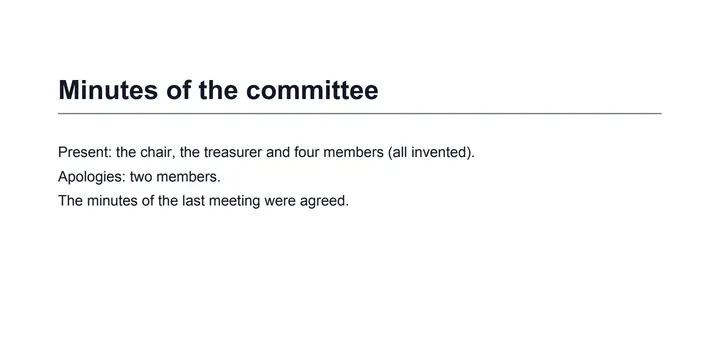
Four pages in, the blank one gone.
 (opens the sample PDF in a new tab)
Page 1 of 4: the minutes' first page.
Pages 1, 2 and 4, and nothing
of page 3 left in the file.
What this tool does
Choose a PDF of up to 50 MB and 300 pages and tap the pages to delete on its page grid, or type them under More options (2, 5-7); at least one page has to stay. The new PDF is made as soon as a page is marked and again after every tap. The pages you delete are removed from the file itself — their text, pictures, fonts and form fields are not left anywhere inside it — and the bookmarks go too, since they could point at a deleted page. The other pages are not touched: their text stays selectable, and their links and form fields keep working. Everything happens in your browser with a PDF library that downloads to your device when you choose the file: nothing is uploaded. There is no AI in it and no mark on your pages; the PDF's metadata records that it was made at filedone.ai, with no AI involved.
What happens to your file
Your file never leaves your device. This page opens it, changes it and saves the result in your browser; nothing is uploaded, so there is no copy on our servers to delete.
No AI provider sees it either. The page sends us one count that a run happened — no file, no name, no size. Details on the privacy page.
Questions
Is my PDF uploaded?
No. The pages are removed by your browser, on your device, with pdf-lib, a PDF library downloaded from this site when you choose the file. The only thing we are told is that a run happened — not the file, its name or its pages.
Are the deleted pages really gone?
Yes. They are removed from the file itself, not hidden: their text, pictures, fonts and any form fields on them are not left anywhere inside it, so nobody can recover them from the download. The file's bookmarks are removed too, because they could point at a deleted page.
Can I type the pages to delete instead of tapping them?
Yes. Under More options, type them in "Pages to delete", such as 2, 5-7; the grid marks what you type. At least one page has to stay.
What happens to the pages I keep?
Nothing: they stay in the same order, their text stays selectable, their pictures stay as sharp, and their links and fillable form fields keep working. To reorder or turn pages as well, use Organize PDF pages.
Is there a limit, or a watermark?
One PDF at a time, up to 50 MB and 300 pages; a PDF with a password has to be unlocked first. No mark is drawn on any page; the PDF's metadata says it was made at filedone.ai with no AI involved.
Related tools
- Extract pages from a PDFTap the pages you want and save them as a new PDF; the rest of the document stays out of it. It happens on your own device: the PDF is never uploaded.
- Organize PDF pages: reorder, rotate, deletePut a PDF's pages in the right order by dragging them, turn the sideways ones and remove the ones you don't need. It happens on your own device: nothing is uploaded.
- Rotate PDF pagesTurn every page of a PDF, or only the ones you tap, 90° right, 90° left or upside down, and save it that way for good. It happens on your own device: nothing is uploaded.
- Redact a PDF — remove Aadhaar, PAN and account numbers for goodBlack out Aadhaar, PAN, IFSC, account and card numbers, phones and emails in a PDF, or any word, area or page. Marked text is removed from the file, not covered, and the PDF is never uploaded.
Pages
Guides and free sample files
- How to compress a PDF to under 100 KB · guide
- Sample multi-page scanned PDF · free sample file