Split a PDF into separate files
Split a PDF into separate files: every page on its own, every few pages, or the ranges you type. Free, in your browser, nothing uploaded. Our 3-page sample scan became 3 PDFs in under a second.
Drop a PDF here
PDF · one file, up to 50 MB
No file to hand?
or paste it here (Ctrl+V)
Nothing is uploaded: it all happens in this browser.
How to split a PDF into separate files
- Choose the PDF: one file of up to 50 MB and 300 pages. It opens in this browser tab and is never uploaded.
- Choose how to split it: every page, every few pages, or by page ranges such as 1-3, 5, 8-10. The page grid shows which file each page goes to.
- Download the files together as a .zip, or one at a time, each named after your file and its pages.
Before and after
One PDF in, a PDF for each page out.
 (opens the sample PDF in a new tab)
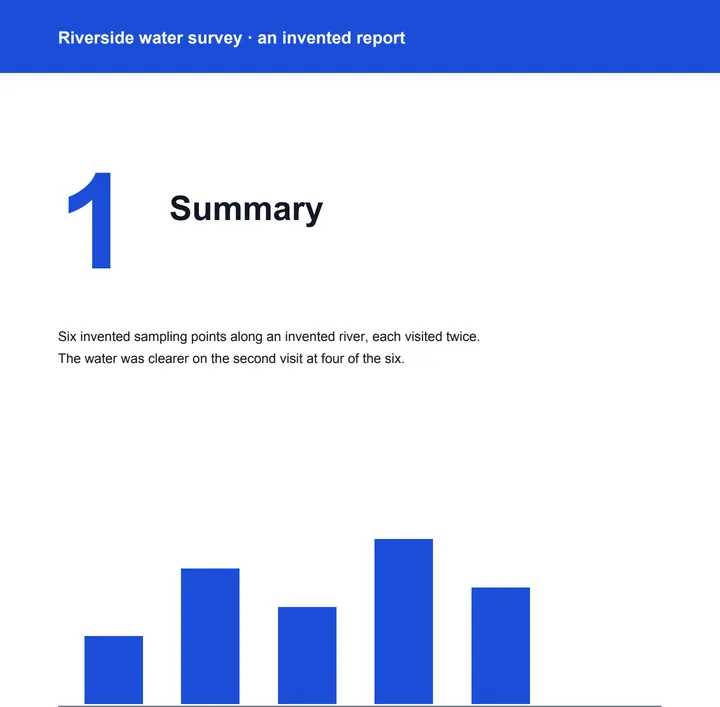
Page 1 of 6: the report's summary.
field-report-p1.pdf to field-report-p6.pdf,
downloaded together as one zip.
What this tool does
Choose a PDF of up to 50 MB and 300 pages and how to split it: every page its own PDF (the choice the page starts with), a new file every few pages, or one file for each range you type — 1-3, 5, 8-10 makes three. The page grid shows which file each page goes to, and the files are made again after every change. Each file is a copy of its pages, with their text, pictures and the links between them, and nothing from the other pages; more than one download together as a zip, or one at a time, named after your file and the pages in it. Everything happens in your browser with a PDF library that downloads to your device when you choose the file: nothing is uploaded. There is no AI in it and no mark on your pages; each file's metadata records that it was made at filedone.ai, with no AI involved.
What splitting our sample files made
Each file holds only its own pages, copied as they are, so the parts add up to about the size of the original; nothing is re-compressed.
| Sample file | Before | Files made | Time |
|---|---|---|---|
| Scanned report, 3 pages | 377,350 bytes | 3 PDFs, 380,724 bytes as one .zip | Under 1 s |
| Bank statement, 2 pages | 33,760 bytes | 2 PDFs of 30,518 and 30,078 bytes | Under 1 s |
Why two small files can be larger than the one they came from
A page needs its fonts, and each new file carries its own copy of the fonts its pages use. Our 2-page sample statement embeds two fonts; split into single pages, each file carries both, so the two files together are larger than the original. Scans have no fonts to repeat, so their parts add up to about the original.
Split, extract or organize?
Split makes several files from one. To copy some pages into one new PDF, use Extract pages; to reorder, turn or delete pages and keep one file, use Organize PDF pages. All three run in your browser.
What happens to your file
Your file never leaves your device. This page opens it, changes it and saves the result in your browser; nothing is uploaded, so there is no copy on our servers to delete.
No AI provider sees it either. The page sends us one count that a run happened — no file, no name, no size. Details on the privacy page.
Questions
Is my PDF uploaded?
No. The PDF is split by your browser, on your device, with pdf-lib, a PDF library downloaded from this site when you choose the file. The only thing we are told is that a run happened — not the file, its name or its pages.
How do I split out only some of the pages?
Choose "By page ranges" and type one range for each file you want: 1-3, 5, 8-10 makes three PDFs, of pages 1 to 3, page 5 and pages 8 to 10, and pages in no range are left out. To gather some pages into one new PDF, use Extract pages from a PDF.
What are the files called?
After your file and the pages in each: report-p1-3.pdf, report-p5.pdf and so on. More than one download together as report-split.zip, or one at a time from the list under the download button.
Is anything lost from the pages?
No page changes: text stays selectable and pictures stay as sharp. Links between pages that end up in the same file keep working; bookmarks, attached files and the original title and author are not carried over, and fillable form fields keep what they show but can no longer be filled in. Nothing from the other pages is hidden in any file.
Is there a limit, or a watermark?
One PDF at a time, up to 50 MB and 300 pages, and up to 300 files a split. A PDF with a password has to be unlocked first. No mark is drawn on any page; each file's metadata says it was made at filedone.ai with no AI involved.
Related tools
- Extract pages from a PDFTap the pages you want and save them as a new PDF; the rest of the document stays out of it. It happens on your own device: the PDF is never uploaded.
- Merge PDF files into oneCombine up to 20 PDFs into one, in the order you choose, and take only the pages you need from each. It happens on your own device: your PDFs are never uploaded.
- Organize PDF pages: reorder, rotate, deletePut a PDF's pages in the right order by dragging them, turn the sideways ones and remove the ones you don't need. It happens on your own device: nothing is uploaded.
- Compress a PDF to a size in KBReduce a PDF's size for free — as small as it goes, or under 100 KB, 200 KB, 500 KB or 1 MB for a portal. Nothing is uploaded; text stays selectable.
Pages
Guides and free sample files
- Sample multi-page scanned PDF · free sample file