Sample multi-page scanned PDF
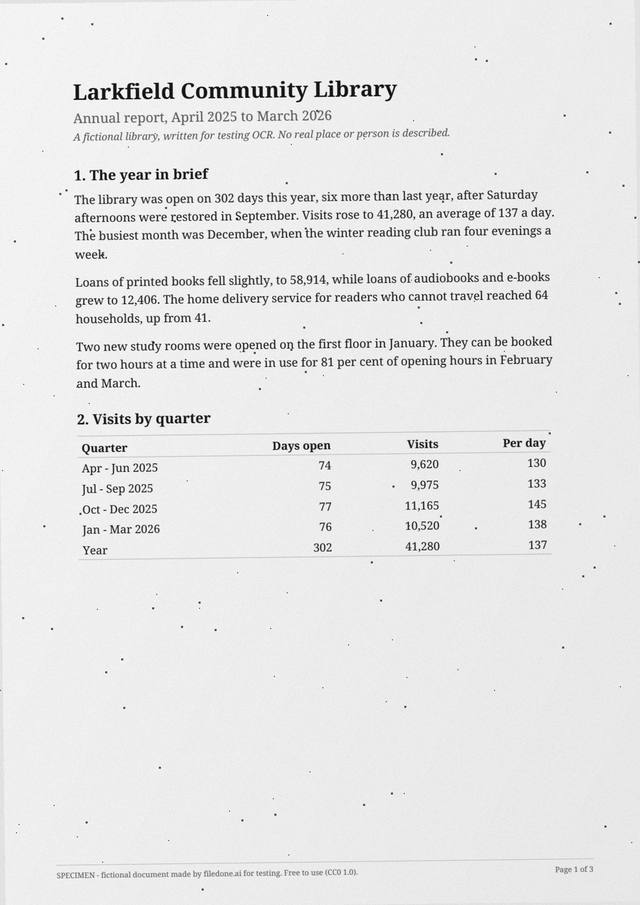
This is a three-page scanned PDF with no text layer, for testing anything that has to work on more than one page: OCR, splitting, reordering, making a scan searchable. Each page is turned a different amount (0.7°, −1.1° and 1.8°) and the third is a little darker and noisier, as the last pages through a feeder often are.
3 pagesPDF 369 KBimage only, no text layer150 dpiCC0
Download
- sample-scanned-report-3-pages.pdfPDF, 3 pages, image only · 369 KBDownload PDF
Free, no sign-up. Released under CC0 1.0: copy it, change it and use it anywhere.
What is in the file
The annual report of a fictional community library: headings, paragraphs of running text, a table of visits by quarter on page 1 and a table of income and spending on page 3. Income and spending both total 73,570, so a converted table can be checked by adding it up.
The pages are 150 dpi, a common setting for a document feeder, which makes the letters smaller in pixels than on the 200-dpi single page. It is a harder read on purpose.
The facts
Measured from the file itself by the script that made it.
| Pages | 3 |
|---|---|
| Files | sample-scanned-report-3-pages.pdf (369 KB) |
| Text layer | None: each page is an image only, so a tool needs OCR to read it |
| Page size | A4 (210 × 297 mm) |
| Resolution | 150 dpi |
| Colour | Grayscale |
| Skew by page | page 1: 0.7° anticlockwise; page 2: 1.1° clockwise; page 3: 1.8° anticlockwise |
| Language | English |
| Fictional | Everything: every company, person, address, number and figure is invented, and every page says SPECIMEN |
| Licence | CC0 1.0 (public domain) |
What to test with it
- OCR every page in your browser with Scanned PDF to text, and see whether the reading order survives the tables.
- Make the whole file searchable with Make a scanned PDF searchable.
- Split it into single pages with Split a PDF, or take page 3 out with Extract pages.
- Reorder or rotate the pages with Organize PDF pages, or drop one with Delete PDF pages.
- Number the pages with Add page numbers to a PDF, or save each page as a picture with PDF to JPG.
- Translate it, keeping the layout, with Translate a scanned PDF (5 credits a page).
Licence, and who is in it
Nobody. Every company, person, address, account number and figure in the file was made up by the script that drew it, and every page carries the word SPECIMEN and a line saying it is fictional; the PDF's metadata says so too. The file is dedicated to the public domain under CC0 1.0, so you can use it in tests, demos, courses and products without asking. Last updated 8 October 2026.
Questions
Do the numbers in the tables add up?
Yes. On page 3, income and spending are both 73,570, and on page 1 the four quarters' visits add up to the year's 41,280. That lets you check an extracted table against itself.
Why are the pages skewed in different directions?
A tool that straightens a whole document by one angle gets two of the three pages wrong. Different angles per page test whether each page is handled on its own.
Can I use this file in my own tests, product or course?
Yes. It is released under CC0 1.0, a public-domain dedication: copy, change, redistribute and use it commercially, with no need to ask and no need to credit filedone (a link is welcome).
Is anything in it real?
No. Every company, person, address, account number, tax number and figure was invented by the script that made the file. Every page says SPECIMEN and that it is fictional, and so does the PDF's metadata.
Open it in
- Scanned PDF to text — OCR a scan into editable textRead the text out of a scanned PDF with OCR, page by page, free in your browser: English, Hindi, Marathi, Bengali, Tamil, Telugu. Handwritten pages read by AI for 1 credit a page.
- Make a scanned PDF searchable — OCR, free, no uploadAdd an invisible text layer to a scanned PDF so you can search it, select words and copy them. English, Hindi and four more Indian languages. Free, and the file stays on your device.
- Split a PDF into separate filesSplit a PDF into single pages, into files of a few pages each, or by page ranges like 1-3, 5, 8-10. It happens on your own device: the PDF is never uploaded.
- Organize PDF pages: reorder, rotate, deletePut a PDF's pages in the right order by dragging them, turn the sideways ones and remove the ones you don't need. It happens on your own device: nothing is uploaded.
- Compress a PDF to 200 KBBring a PDF under 200 KB for an exam, job or government portal, without uploading it. Text stays selectable; only the pictures and scans inside are made lighter.
- Translate a scanned PDF, keeping the layoutTranslate a scan or a phone photo of a page: the old words are painted out to match the paper and the translation is set in their place. Numbers and codes stay as written.
- Extract pages from a PDFTap the pages you want and save them as a new PDF; the rest of the document stays out of it. It happens on your own device: the PDF is never uploaded.
- Delete pages from a PDFTap the pages you don't want and download the PDF without them. They are removed from the file itself, not hidden. It happens on your own device: nothing is uploaded.
- Add page numbers to a PDFNumber a PDF's pages as 1, Page 1, Page 1 of 10 or 1 / 10, at the top or bottom, left, centre or right, from any number. It happens on your own device: nothing is uploaded.
- Convert PDF pages to JPG or PNG imagesTurn the pages of a PDF into JPG or PNG pictures at 72, 150 or 300 dpi — every page or just the ones you pick. It happens on your own device: the PDF is never uploaded.