Scanned PDF to text — OCR a scan into editable text
Get the text out of a scanned PDF, free and in your browser: OCR in English, Hindi, Marathi, Bengali, Tamil or Telugu. Our 3-page sample scan gave 563 words in 9.5 seconds.
Drop a PDF here
PDF · one file, up to 50 MB
No file to hand?
or paste it here (Ctrl+V)
Nothing is uploaded: it all happens in this browser.
The values in this file were read from your document by AI, and they can be wrong — check them against the original before you rely on them. Your document itself is not altered.
How to convert a scanned PDF to text
- Choose the scanned PDF, up to 50 MB. It opens in this browser tab and the free reading never uploads it; if it already has a text layer, the page says so.
- Pick the language it is printed in. Up to 50 pages are read in one run, and the text appears page by page as each one is read.
- Correct anything the reader got wrong, then copy the text or download it as a .txt file.
Before and after
A scan you cannot select a word in, and the text you can.
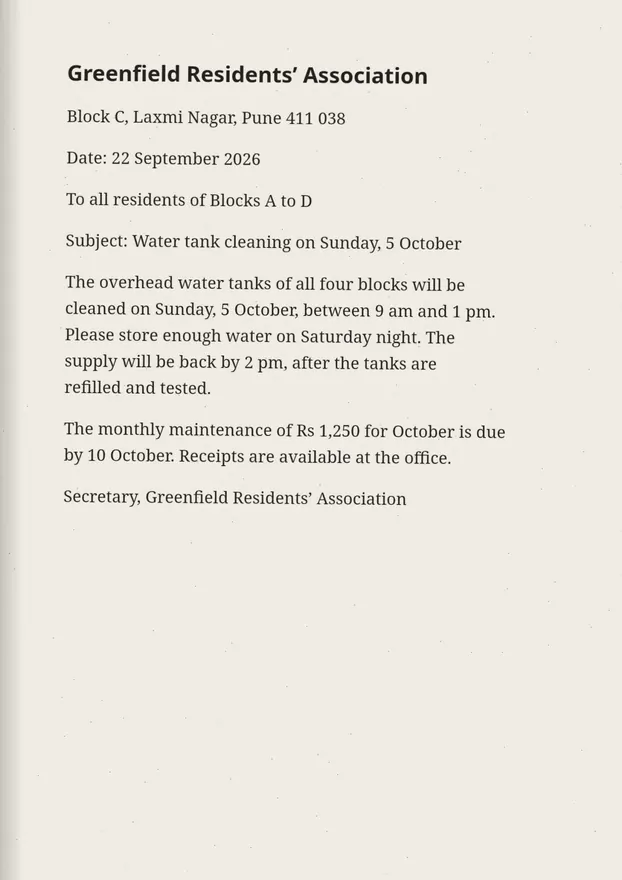
--- Page 1 ---
Subject: Water tank cleaning on Sunday, 5 October
What this tool does
This tool reads the text in a scanned PDF — a PDF whose pages are pictures, from a scanner or a phone scanning app — and gives it back as text you can copy, edit and download. Each page is drawn in your browser and read by Tesseract, an open-source OCR engine, in the language you pick (English, Hindi, Marathi, Bengali, Tamil or Telugu; an Indian language is read together with English). The text arrives page by page, each page marked, and you can choose which pages to read — up to 50 in one run. If the PDF already has a text layer, the page says so: its words can be copied out exactly, without OCR; you can still OCR it if that text comes out garbled. The free reading never uploads the PDF. Tesseract is made for print and reads handwriting poorly, so for handwritten pages there is a second button, "Read it with AI" (1 credit a page, signed in): only when you press it, the PDF is uploaded to our server, every page is read by an AI model, the text goes into the same box, and the upload and the text are deleted after 2 hours.
The values in this file were read from your document by AI, and they can be wrong — check them against the original before you rely on them. Your document itself is not altered.
How long it took on our sample scans
About three to five seconds a page on a computer, with the time shown when it finishes; a phone is slower, because the reading is done on the device. These are the times this page reported on our free sample scans, read in English.
| Sample scan | Pages | Words read | Time |
|---|---|---|---|
| Scanned page, 200 dpi | 1 | 208 | 4.7 s |
| Scanned letter, colour | 1 | 212 | 4.5 s |
| Scanned report, 150 dpi | 3 | 563 | 9.5 s |
| Residents' letter, English and Hindi | 2 | 150, mean confidence 95% | Recorded run |
Will the text be exactly right?
Usually close on a clear printed scan, and never guaranteed: OCR reads shapes, and a smudge, a stamp or a tilted line can turn into a wrong letter. The text comes back in a box you can correct before you copy it.
- A scan of 200 dpi or more reads better than a 100 dpi one, and a straight page better than a skewed one.
- Pick the language it is printed in. An Indian language is read together with English, for names and numbers.
- Handwriting reads poorly with the free reader; use "Read it with AI" (1 credit a page) for it.
- Tables come out as lines of text. For rows and columns, use a PDF-to-Excel tool instead.
Text out, or a searchable PDF?
Use this page when you want the words to copy, edit or paste somewhere else. If you want to keep the PDF and only make it searchable and selectable, Make a scanned PDF searchable writes the same words back into the PDF as an invisible layer. Both are free and run in your browser.
What happens to your file
The free reading: your file never leaves your device.The text reader is downloaded to your browser and reads it there; the page sends us one count that a run happened — no file, no name, no size.
Reading it with AI (1 credit a page): only when you press it, your file is uploaded to our server and sent to an AI provider to make the result. Deleted from our servers after 2 hours. We do not train AI on your files, and the terms of our AI providers do not allow them to; they may keep request logs for up to 55 days, longer for a request they flag for abuse.
Uploads and outputs are deleted after 2 hours, whether or not you download them. Provider request logs are kept for at most 55 days. Details on the privacy page.
Questions
How do I know if my PDF is scanned?
Try to select a word in your PDF reader. If you cannot, the pages are pictures and this tool is the one you need. If you can, the PDF already has text — this page will say so, and a PDF-to-text tool gets the words out exactly and at once.
Which languages can it read?
English, Hindi, Marathi, Bengali, Tamil and Telugu. An Indian language is read together with English by default, because most Indian documents mix the two; you can turn that off under More options.
How many pages can it read?
Up to 50 pages in one run; choose which ones under More options (for example 1-3, 7). The text appears as each page is read. A page takes a few seconds on a laptop and longer on a phone, since the work is done on your device.
Is my PDF uploaded?
Not by the free reading: the PDF is opened and read in your browser, and the OCR engine and the language files come from this site the first time you use them. Only if you press "Read it with AI" is the PDF uploaded, to our server and an AI provider, and the upload and the text are deleted after 2 hours.
The copied text of my PDF is gibberish. Will this fix it?
Often, yes. Some PDFs — many made with old Hindi fonts — have a text layer that copies out as nonsense. Use "Read it with OCR anyway" and the pages are read from how they look instead.
Related tools
- Image to text — copy the text from a photo, scan or screenshotTurn a photo, scan or screenshot into text you can copy and edit, in English, Hindi, Marathi, Bengali, Tamil or Telugu. Free and on your device; handwriting read by AI for 1 credit.
- Convert PDF to WordTurn a PDF into an editable Word (.docx) file with its fonts, colours and tables. Pages with text are free with a free account; a scanned page is 1 credit.
- Convert PDF pages to JPG or PNG imagesTurn the pages of a PDF into JPG or PNG pictures at 72, 150 or 300 dpi — every page or just the ones you pick. It happens on your own device: the PDF is never uploaded.
- Redact a PDF — remove Aadhaar, PAN and account numbers for goodBlack out Aadhaar, PAN, IFSC, account and card numbers, phones and emails in a PDF, or any word, area or page. Marked text is removed from the file, not covered, and the PDF is never uploaded.
- Compress a PDF to a size in KBReduce a PDF's size for free — as small as it goes, or under 100 KB, 200 KB, 500 KB or 1 MB for a portal. Nothing is uploaded; text stays selectable.
Tables & text out of a document
Guides and free sample files
- Can you edit the text in a scanned PDF? · guide
- How to edit a scanned PDF without retyping it · guide
- How to translate a scanned PDF and keep the layout · guide
- Sample scanned PDF for OCR testing · free sample file