Convert PDF to Word
To convert a PDF to Word, upload it here and download an editable .docx with its fonts, colours, pictures and tables. Pages with text are free with a free account; a scanned page is 1 credit.
Free account · 20 free credits. Sign up to run it.
Drop a PDF here
PDF · one file
or paste it here (Ctrl+V)
Nothing is uploaded until you press Convert to Word.
How to convert a PDF to Word
- Sign in or create a free account, then choose your PDF: one file of up to 50 MB, and up to 50 pages until your account has bought credits.
- Select Convert to Word. Before anything runs, the page shows how many pages the file has, how many are scans that need OCR, and the price, which is nothing when none do.
- Select Convert to Word again to start, then Download the Word file when it is ready. Your PDF and the Word file are deleted from our servers after 2 hours.
Before and after
What copying out of a PDF gives you, and what the Word file gives you instead.
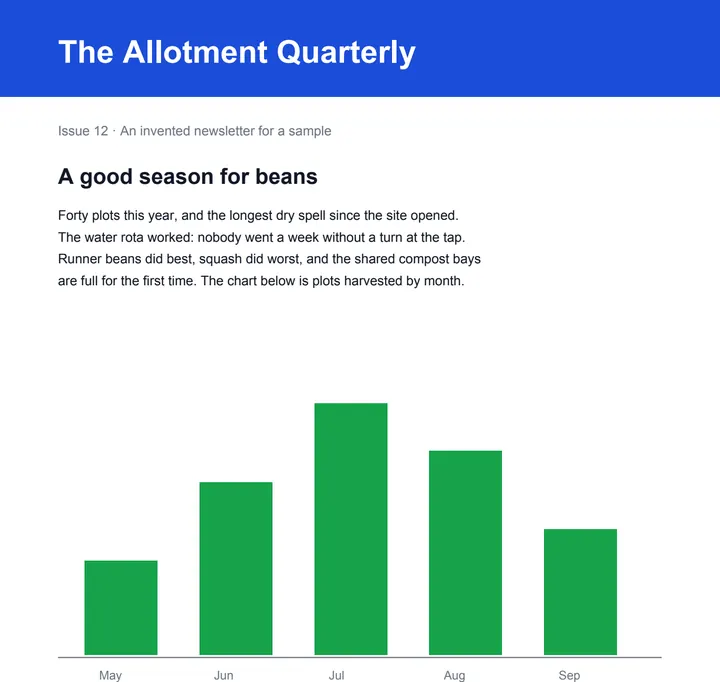 (opens the sample PDF in a new tab)
Copied out, every line breaks where the PDF's line did, and the formatting is gone.
One paragraph that re-wraps as you type, in
the newsletter's own font, size and colour —
with the rota as rows you can edit.
What this tool does
This tool turns a PDF into a Word document you can edit. It reads the text already stored in the PDF and writes it out as paragraphs in reading order, keeping the fonts, sizes, bold, italic, colours and alignment; tables drawn with lines come back as Word tables you can edit, pictures stay where they were, and every PDF page starts a new Word page, with a paragraph that runs over a page break joined into one. It is not a pixel copy: two columns become one column of paragraphs, decoration is simplified, and a table drawn without lines comes back as aligned text. Pages that are pictures of text — a scan, a photo — are read with an AI OCR model at 1 credit a page; they carry OCR's errors, so check them. Pages with a text layer are free. Either way you need a free account, and the page count and the price are shown before anything runs.
Pages without a text layer are read with an AI OCR model, which can misread a word — check those pages against the original. Nothing else is generated, and your PDF is not altered.
Can I convert a PDF to Word in Microsoft Word or Google Docs?
Yes. Microsoft Word 2016 and later opens a PDF with File > Open and converts a copy into an editable document, leaving the PDF itself unchanged. Google Docs opens a PDF from Google Drive with Open with > Google Docs, and File > Download then saves it as a Word file.
Microsoft says this works best on files that are mostly text, that the result might not look exactly like the PDF, and that a page of mostly charts or graphics may come in as a picture whose text cannot be edited. Google says bold, italics and font size are likely to be kept, but lists, tables and columns are not likely to be detected.
Free online converters are the other common route. Many need no sign-up; some limit how many files you can convert a day, and some keep OCR for scanned pages for a paid plan.
| Way | Cost | Scanned pages | What comes across |
|---|---|---|---|
| This page | Free for pages with text, with a free account; 1 credit a scanned page | Read with an AI OCR model, page by page | Fonts, colours, pictures and tables drawn with lines; two columns become one |
| Word 2016 or later (File > Open) | Nothing extra if you have Word | Not covered in Microsoft's guide | Tries to rebuild headings, lists and tables; lines and pages may break in new places |
| Google Docs (Open with, in Drive) | Free with a Google account | Read as text; Google suggests files of 2 MB or smaller | Bold, italics and font size likely kept; lists, tables and columns not likely detected |
| A free online converter | Often free with no sign-up; some limit files a day | Some read scans free; others keep OCR for a paid plan | Varies from one converter to the next |
Why can't I convert my PDF to Word?
Usually because the PDF needs a password to open, is larger than 50 MB, or has more pages than one conversion takes. On this page each of those is caught when you upload or before the price is shown, so nothing is charged, and each has a fix.
- It asks for a password when you open it: remove the password first (you need to know it), then upload it again.
- It is over 50 MB: compress it, or split it into smaller PDFs and convert each one.
- It has more than 50 pages, or more than 300 once your account has bought credits: split it and convert the parts.
- You want only some of its pages: this page converts the whole file, so save those pages as a new PDF first.
Do I need to convert a PDF to Word to edit it?
Not if you only need to change a few words or add something to a page: editing the PDF itself leaves the rest of each page as it was, which a conversion to Word cannot promise. Convert to Word when you want to rewrite, reorganise or reuse the text, because in Word the paragraphs re-wrap as you type.
- To change wording in place, in the same font and position, use Edit PDF text on this site.
- To type on a page, white out a line or add a signature, use the free PDF editor on this site; it runs in your browser and uploads nothing.
What happens to your file
Deleted from our servers after 2 hours. We do not train AI on your files, and the terms of our AI providers do not allow them to; they may keep request logs for up to 55 days, longer for a request they flag for abuse.
Uploads and outputs are deleted after 2 hours, whether or not you download them. Provider request logs are kept for at most 55 days. Details on the privacy page.
Questions
Is it free to convert a PDF to Word here?
Yes, for pages that already have text in them: they convert free, up to 50 pages a file until your account has bought credits and up to 300 after that. A page that is a picture of text, like a scan or a photo, has to be read with OCR, which costs 1 credit a page. You need a free account for every file — new accounts get 20 credits — and the tool shows the page count, how many pages need OCR and the price before anything runs.
Can I convert a PDF to Word without losing the formatting?
Mostly, but not as an exact copy. The text keeps its fonts, sizes, bold, italic, colours and alignment, tables drawn with lines become Word tables, pictures stay in place, and every PDF page starts a new Word page; text repeated at the top or bottom of most pages becomes the Word header or footer, and a page number there becomes Word's own page number. What changes: two columns become one, decorative boxes are dropped, a table without lines comes back as aligned text, headings and bullets stay formatted text rather than Word heading and list styles, links become plain text, and Word uses a similar font when it does not have the original one.
Can I convert a scanned PDF to an editable Word file?
Yes, page by page: each page without a text layer is read with an AI OCR model and written as editable paragraphs, at 1 credit a page; pages that already have text stay free, and a page the OCR could not read is not charged. The OCR text comes back in one plain font at about its printed size, without bold, italics or colour; headings and lists become plain paragraphs, and tables the OCR finds become Word tables. OCR can misread a word, especially on a faint or skewed scan, so read the result against the original before you rely on it.
Does it work with Hindi, Tamil and other Indian languages?
Yes, when the PDF stores the text properly: the words come across exactly as they are in the file, set in the same font family, and Word needs that font or an Indic font to show them. Some PDFs hide their text behind a font that no reader can decode; those pages are read with OCR instead, at no more than the price you were shown.
What happens to the file I upload?
It is deleted from our servers after two hours, whether or not you download the Word file, and it is not used to train anything. Pages with a text layer never leave our servers. A scanned page is sent to the OCR provider we use to read it; they do not train on it and keep request logs for at most 55 days, longer only for a request they flag for abuse.
Related tools
- Edit the text in a PDFSay what should change — a date, a name, a price — and get the same PDF back with those words rewritten in place, matching the font. Removed from our servers after 2 hours.
- Translate a PDF, keeping the layoutGet the same PDF back in English, Hindi, Kannada, Tamil and more: every line translated where it stands, with numbers, dates and codes kept as written.
- Add text, a signature or a picture to a PDF — freeType anywhere on a PDF, white-out, highlight, draw, tick a box, add the date, your signature or a picture, and download it with everything drawn in. Free, in your browser; nothing is uploaded.
- Convert a PDF table to ExcelExtract the tables from a PDF into Excel, every value in its own cell, merged cells kept and doubtful cells flagged. Your file is deleted after two hours.
- Unlock a PDF — remove a password you know, or its restrictionsTake the password off a PDF you can open — a bank statement, an e-Aadhaar — or lift its print and copy restrictions. It happens on your device: nothing is uploaded, and nothing is guessed.
- Compress a PDF to a size in KBReduce a PDF's size for free — as small as it goes, or under 100 KB, 200 KB, 500 KB or 1 MB for a portal. Nothing is uploaded; text stays selectable.
- Split a PDF into separate filesSplit a PDF into single pages, into files of a few pages each, or by page ranges like 1-3, 5, 8-10. It happens on your own device: the PDF is never uploaded.
- Convert PDF pages to JPG or PNG imagesTurn the pages of a PDF into JPG or PNG pictures at 72, 150 or 300 dpi — every page or just the ones you pick. It happens on your own device: the PDF is never uploaded.
Convert & shrink files
- Compress an image to a target size in KB
- Resize an image by pixels, percent or centimetres
- Convert an image to JPG, PNG or WebP
Guides, sample files and comparisons
- How to edit a scanned PDF without retyping it · guide
- Sample scanned PDF for OCR testing · free sample file
- filedone vs iLovePDF · comparison