Sample scanned rental agreement
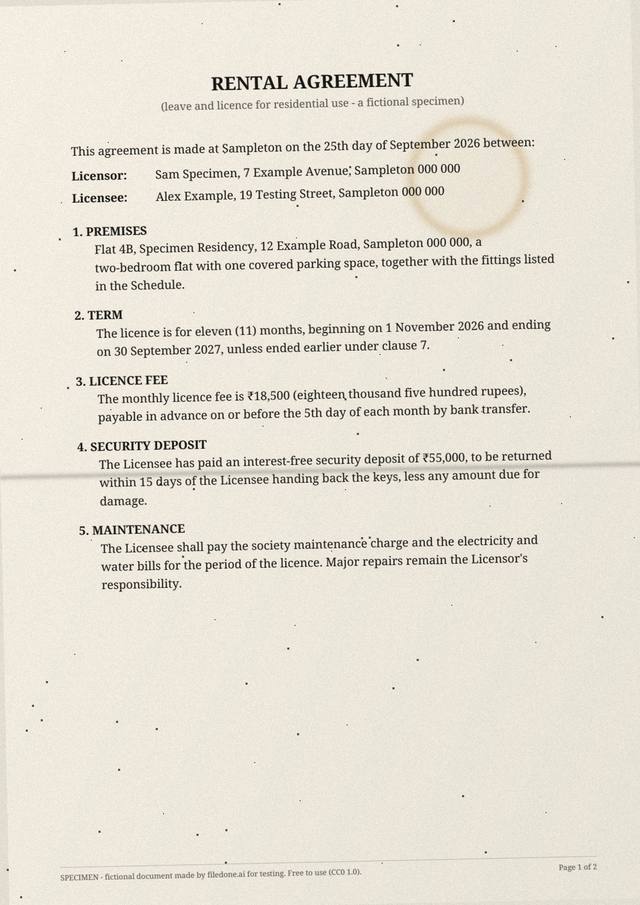
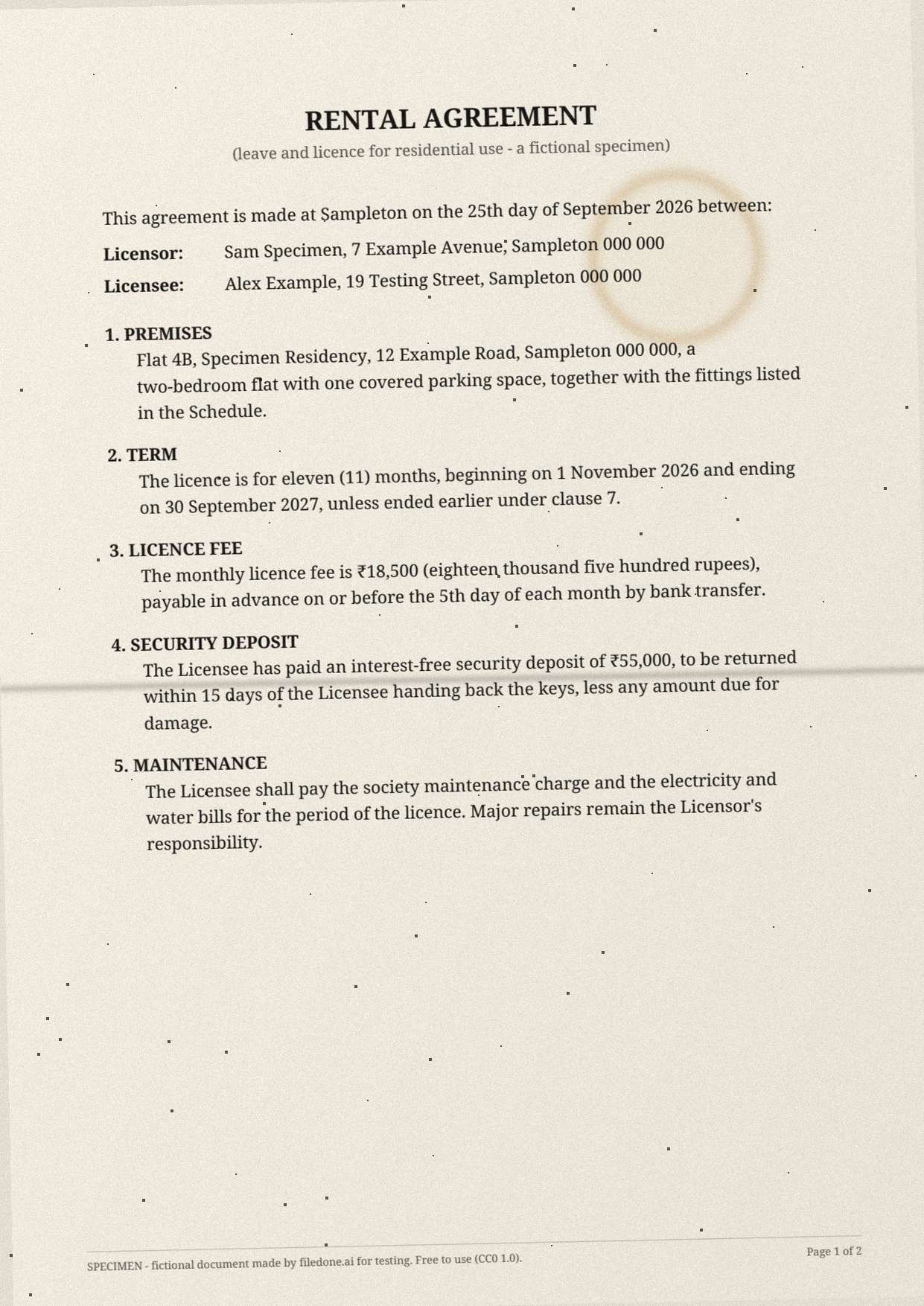
This is a two-page rental agreement scanned in colour at 150 dpi, on cream paper that has been folded and has a coffee ring on page 1. It is the kind of document people most often need to correct after it has been signed and scanned — a rent figure, a start date — and the hardest kind of page to change cleanly.
2 pagesPDF 385 KBimage only, no text layer150 dpiCC0
Download
- sample-rental-agreement-scan.pdfPDF, 2 pages, image only · 385 KBDownload PDF
- sample-rental-agreement-page-1.jpgJPG, 1241 × 1754 px · 202 KBDownload JPG
Free, no sign-up. Released under CC0 1.0: copy it, change it and use it anywhere.
What is in the file
A leave-and-licence agreement between two invented people for an invented flat: a monthly fee of ₹18,500, a deposit of ₹55,000, an eleven-month term from 1 November 2026, nine clauses, a schedule of fittings and two signatures with dates.
The coffee ring sits beside the parties' names and the fold crosses page 1, so an edited word has to be painted over stained, creased paper rather than clean white.
The facts
Measured from the file itself by the script that made it.
| Pages | 2 |
|---|---|
| Files | sample-rental-agreement-scan.pdf (385 KB), sample-rental-agreement-page-1.jpg (202 KB) |
| Text layer | None: each page is an image only, so a tool needs OCR to read it |
| Page size | A4 (210 × 297 mm) |
| Resolution | 150 dpi |
| JPG size in pixels | 1241 × 1754 |
| Colour | Colour |
| Skew by page | page 1: 1.2° anticlockwise; page 2: 0.6° clockwise |
| Language | English |
| Fictional | Everything: every company, person, address, number and figure is invented, and every page says SPECIMEN |
| Licence | CC0 1.0 (public domain) |
What to test with it
- Change the licence fee or the start date in Edit the text in a scanned PDF (8 credits a job).
- Read both pages with Scanned PDF to text, or make it searchable with Make a scanned PDF searchable.
- Translate it with Translate a scanned PDF (5 credits a page).
- Hide a name or an amount for good with Redact a PDF.
Licence, and who is in it
Nobody. Every company, person, address, account number and figure in the file was made up by the script that drew it, and every page carries the word SPECIMEN and a line saying it is fictional; the PDF's metadata says so too. The file is dedicated to the public domain under CC0 1.0, so you can use it in tests, demos, courses and products without asking. Last updated 8 October 2026.
Questions
Is this a valid rental agreement?
No. It is a specimen with invented parties and property; the signatures are random lines drawn by a script, and it is not stamped or registered. Do not use it as a template for a real agreement without legal advice.
Why is there no stamp or seal on it?
Real agreements in India are often on stamp paper. We left the stamp out so the sample is plainly not an official document — and because the scanned editor refuses documents that carry an official seal or stamp.
Can I use this file in my own tests, product or course?
Yes. It is released under CC0 1.0, a public-domain dedication: copy, change, redistribute and use it commercially, with no need to ask and no need to credit filedone (a link is welcome).
Is anything in it real?
No. Every company, person, address, account number, tax number and figure was invented by the script that made the file. Every page says SPECIMEN and that it is fictional, and so does the PDF's metadata.
Open it in
- Edit the text in a scanned PDFChange wording on a scan: the old words are painted out to match the paper and the new ones are typeset in a matching font. Your file is deleted after two hours.
- Scanned PDF to text — OCR a scan into editable textRead the text out of a scanned PDF with OCR, page by page, free in your browser: English, Hindi, Marathi, Bengali, Tamil, Telugu. Handwritten pages read by AI for 1 credit a page.
- Translate a scanned PDF, keeping the layoutTranslate a scan or a phone photo of a page: the old words are painted out to match the paper and the translation is set in their place. Numbers and codes stay as written.
- Redact a PDF — remove Aadhaar, PAN and account numbers for goodBlack out Aadhaar, PAN, IFSC, account and card numbers, phones and emails in a PDF, or any word, area or page. Marked text is removed from the file, not covered, and the PDF is never uploaded.